Sound System Studio Web Layout

June 22nd, 2007 by ART-D Posted in Adobe Photoshop, Web Layout

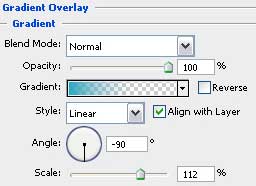
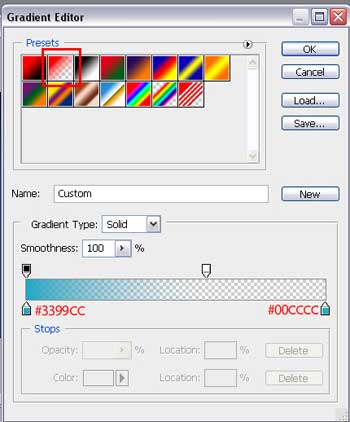
And Blending Options> Gradient Overlay>Gradient Editor
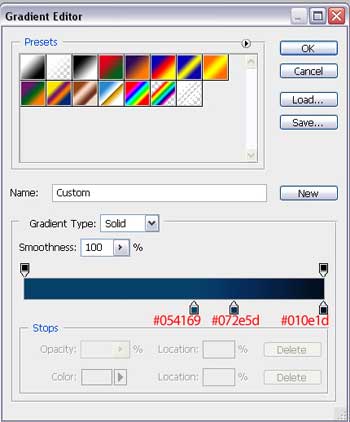
Create Sound System Studio Web Layout in Photoshop CS3

That is what we should get:

Create Sound System Studio Web Layout in Photoshop CS3

This layer should be situated in the group for making easier working with it.

Create Sound System Studio Web Layout in Photoshop CS3

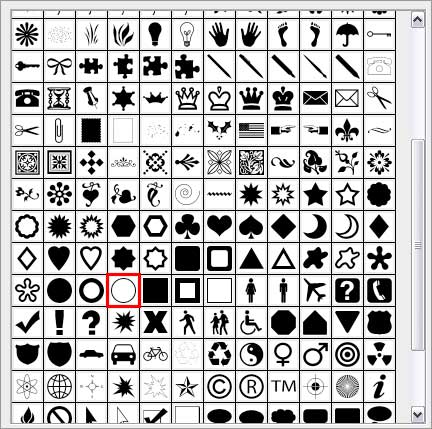
Next we must represent several figures on the left side of the screen. For this operation we’ll select the Custom Shape Tool (U) -Circle Frame and the color’s code #003333.

Create Sound System Studio Web Layout in Photoshop CS3

The circles must be processed arbitrary also:

Create Sound System Studio Web Layout in Photoshop CS3

The new layers should be transformed in a mask for our figures not to get outside the gradient figure’s edges, situated lower. Press on Alt button and make a left mouse’s click between the layers. The upper layer will get a pointer directed on the bottom.

Create Sound System Studio Web Layout in Photoshop CS3

Continue by working with the right side of the picture. Draw firstly two circles, chosen from Custom Shape Tool (U)Thin Frame and the Ellipse Tool (U) from the circles’ inside. Make some transformations as it is shown below: The color’s code is #003333, available for all circles. They should be transformed as it is indicated next picture.

Create Sound System Studio Web Layout in Photoshop CS3 

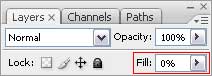
All three figures have Fill of 70%.

Create Sound System Studio Web Layout in Photoshop CS3

  •  

  •    
  •  


Post Pages: 1 2 3 4 5 6 7 8 9 10 11

  • Yadav

    16/09/2009

    thank

    Nice tutorial

  • amit

    24/09/2009

    thanks, very nice tutorial. :)

  • chrys

    14/01/2010

    I have been educated.

  • Mithun

    11/02/2010

    this is the first tutorial i have found for adobe and it looks great with step by step instructions, will browse more to see what more i can learn.

  • Egyptian web designer

    14/02/2010

    normally I dont post on blogs,
    but yours forced me to do..
    this is one of the best toturials I’ve ever seeeeeeeeeeeeeeeeeeeen

  • eee

    10/05/2010

    can i download this site with psd ?

  • Taryn

    24/08/2010

    Thanks for adding the colour numbers

  • Naresh

    23/01/2011

    Thank U

  • dcv

    12/04/2011

    how do i select the colours of blue? can someone help?

  • Martin

    06/06/2011

    this is good

  • safdar

    15/06/2011

    Now i am learn photoshop
    THANKS

  • sylvain

    27/10/2011

    I just don’t understand, once you’ve done that, is it just a background or really a web site? You just have to upload it on your ftp server?

  • Jeff

    09/11/2011

    Really man no you have to cut it up and turn it into a site from there