Categories

Partners
Search


Advanced Search


flash websites


Industrial Revolution Design
Published  07/13/2007 | Designing
   
Industrial Revolution Design - part 1


In this tutorial we will learn how to create a high quality futuristic wallpaper.

Begin by creating a new file, having 1280x1024 px. The background may be represented with the Rectangle Tool (U) by using it on the entire page.

Create Industrial Revolution Design in Photoshop CS3

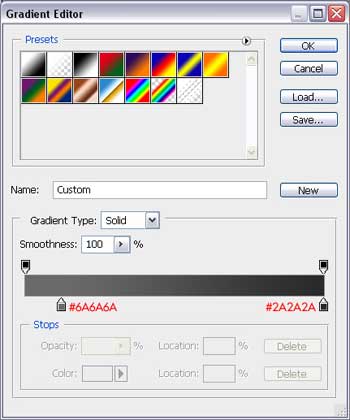
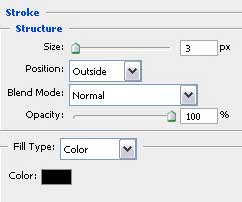
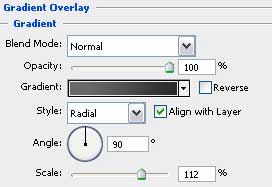
Apply for this layer the Blending Options, indicated in the table below:
Create Industrial Revolution Design in Photoshop CS3 

Create Industrial Revolution Design in Photoshop CS3

Now we shall use the Ellipse Tool (U) for drawing a kind of circle like that one from next picture:
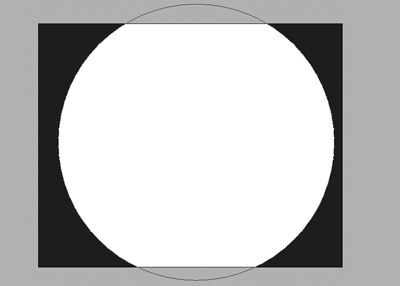
Create Industrial Revolution Design in Photoshop CS3

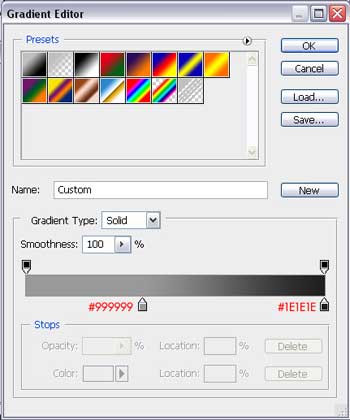
Apply the Blending Options from here for the layer in case:
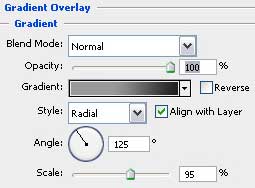
Create Industrial Revolution Design in Photoshop CS3 

Create Industrial Revolution Design in Photoshop CS3 

Create Industrial Revolution Design in Photoshop CS3

It’s what we have got at this stage:
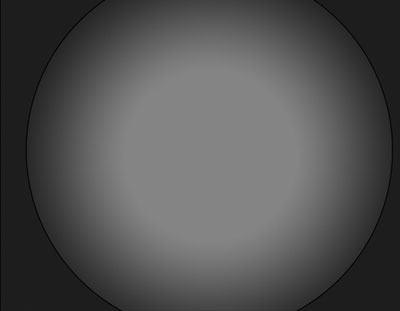
Create Industrial Revolution Design in Photoshop CS3

Make a copy of this layer and make a right mouse’s click on it to call the Free Transform option for minimizing the copy the way it is shown next picture.

Create Industrial Revolution Design in Photoshop CS3

Create Industrial Revolution Design in Photoshop CS3 Industrial Revolution Design
In this tutorial we will learn how to create a high quality futuristic wallpaper.