Categories

Partners
  • IPowerWeb Hosting

  • Free Flash Website

  • Website Templates

  • Adobe Photoshop Tutorials

  • Bittorent and
    Google desktop programs

  • Free Stock Photos and Images

  • Adobe Photoshop Tutorials

  • Photoshop, Flash, 3dsmax tutorials

  • Merry Christmas Tree
  • Search


    Advanced Search


    PSD to HTML

    The Lake House wallpaper
    Published  07/21/2007 | Drawing Techniques
       
    The Lake House wallpaper - part 1


    In this tutorial you will learn how to make your personal wallpaper.

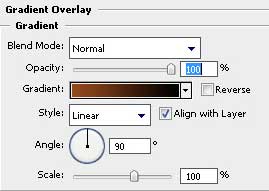
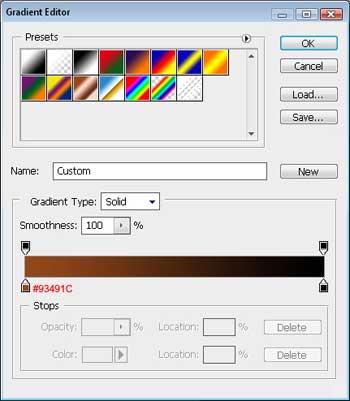
    So, firstly we have to create a new file (File>New) that would have 1024x768 px and 72 dpi. Choosing the Rectangle Tool (U), stretch on the object the whole page and set the here demonstrated Blending Options>Gradient Overlay for it.
    Create The Lake House Wallpaper in Photoshop CS3 

    Create The Lake House Wallpaper in Photoshop CS3

    You may see the result we’ve got at this moment:

    Create The Lake House Wallpaper in Photoshop CS3

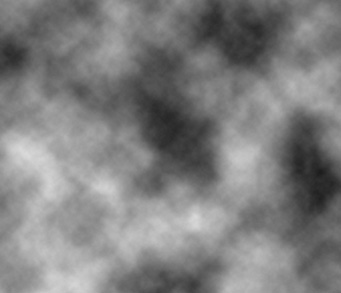
    Create a new layer and select the next function: Filter>Render>Clouds.
    Create The Lake House Wallpaper in Photoshop CS3

    Next we’ll change the parameter on the Layers palette.
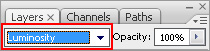
    Create The Lake House Wallpaper in Photoshop CS3

    You must have the same picture presented below:
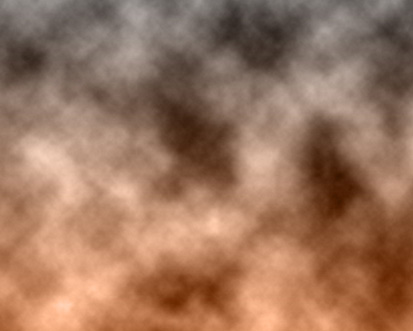
    Create The Lake House Wallpaper in Photoshop CS3

    Make a right moue’s click n the picture and choose the Free Transform selection.
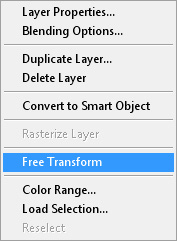
    Create The Lake House Wallpaper in Photoshop CS3

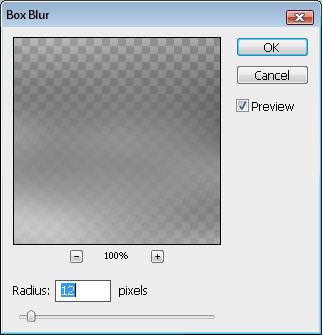
    …and stretch out horizontally the layer: After that we have to select Filter>Blur>Box Blur

    Create The Lake House Wallpaper in Photoshop CS3

    Create The Lake House Wallpaper in Photoshop CS3 The Lake House Wallpaper
    In this tutorial you will learn how to make your personal wallpaper.