
Retro Lighting – Ford Mustang
I love to draw cars. I get inspired by retro magazines and 70’s lifestyle. My works are powerful, stylish and full of bright colours. I love to work with vectors, I think vectors can create amazing images with a clear and modern look.
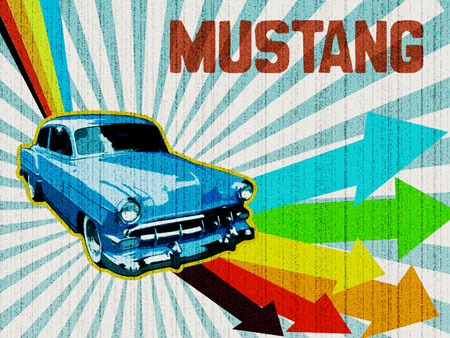
Final Image Preview
Begin by creating a new file (File>New) that would have 1024×768 px and 72 dpi. Apply on this layer the Paint Bucket Tool (G) for coloring it in the next presented color – #FCF5ED

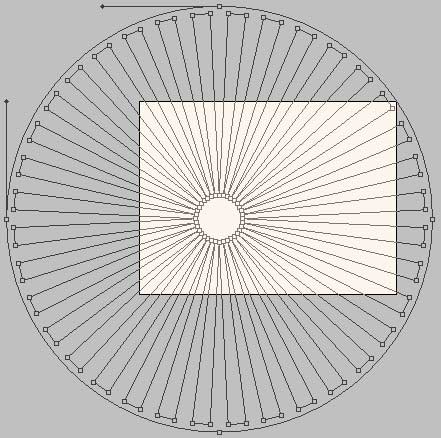
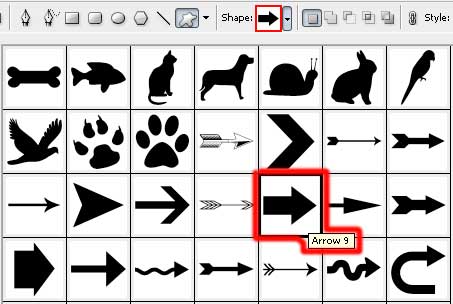
Using the Custom Shape Tool (U), it’s possible to select the next shape as it is demonstrated below.


The shape must be changed a little with the Free Transform selection by stretching it, as it is shown next picture.
We need also to apply for the shape the Blending Options>Gradient Overlay
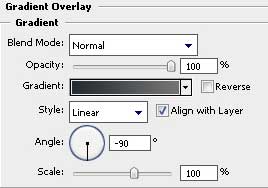
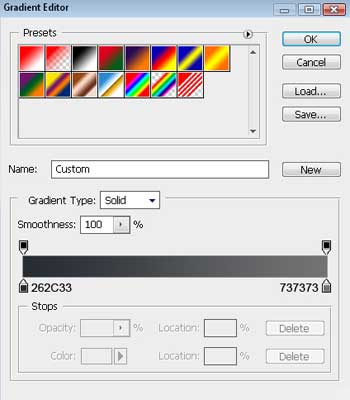
Gradient’s parameters:

The new processed layer should have Opacity of 29%.

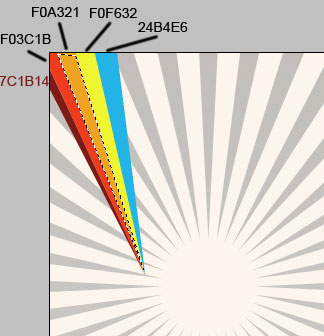
Choosing the Polygonal Lasso Tool (L) now, we need to represent 5 rays, filling each of them with the appropriate color, applying in this case the Paint Bucket Tool (G).
Select again the Custom Shape Tool (U) and represent an arrow, colored with #FF9403, inclining it with the Free Transforme option. Its shape may be corrected with the Convert Point Tool.
Comments