Categories

Partners
 
  • Photoshop Templates

  • Website Templates

  • Web Templates

  • Flash Web Sites

  • WordPress Templates

  • Free Ringtones

  • Free Stock Photos and Images

  • Photoshop

  • St. Louis LASIK | LASIK info

  • Load Cells

  • osCommerce Templates

  • Web Hosting


  • Website Templates
    Search


    Advanced Search


    Beautiful young woman jumping ...
    Published  09/5/2007 | Photo Editing
       
    Beautiful young woman jumping ... - part 1


    Inspired by curves, shapes, and the great scene by the nature. this illustration reflect the scene and the atmosphere created by the house, jazz and easy listening music.

    Create a new file that would have 1024x768 px and 72 dpi. Select next the Brush Tool (B) and install out of Internet the set of ready to use brushes, entitled Blood_Splatter_Brushes_By_VexingArt. It will be helpful when picturing several drops, as the next picture shows it. The colors’ codes are #B6E9FD and #BDE8D2.
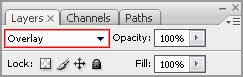
    Fill 10% on the layer.
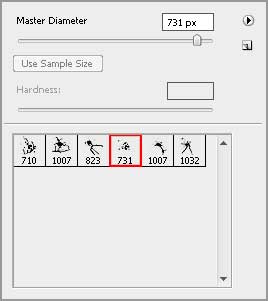
    Create Beautiful young woman jumping in Photoshop CS3

    You should get the same result as this one:

    Create Beautiful young woman jumping in Photoshop CS3

    Using the same brush, we need to picture on a new layer several other black drops, as the picture shows it:

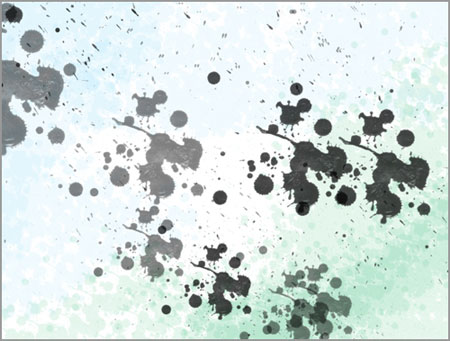
    Create Beautiful young woman jumping in Photoshop CS3

    Now we have to select the Pen Tool (P) and represent a ray that must be doubled after that and changed its shape with the Free Transform selection (Ctrl+T).
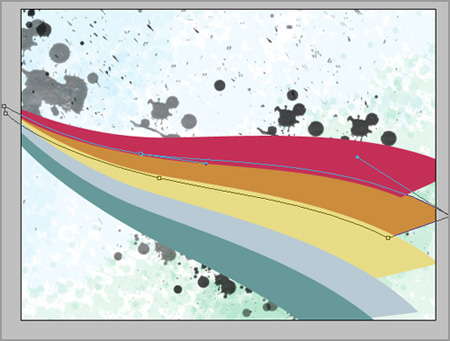
    Create Beautiful young woman jumping in Photoshop CS3

    You must use the same colors’ codes, shown below:
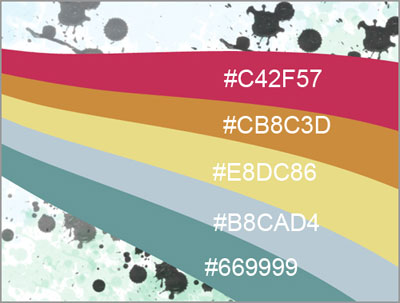
    Create Beautiful young woman jumping in Photoshop CS3

    Create a new layer and apply on it the same brush, used earlier. We have to paint now in white the end of the rainbow.
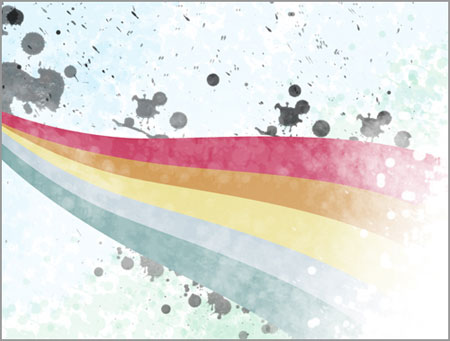
    Create Beautiful young woman jumping in Photoshop CS3

    Use the same type of brush, shown below and try to represent on a new layer a kind of blot.
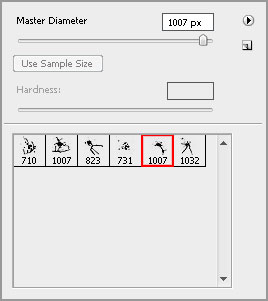
    Create Beautiful young woman jumping in Photoshop CS3

    Select the same adjustments as those indicated below:
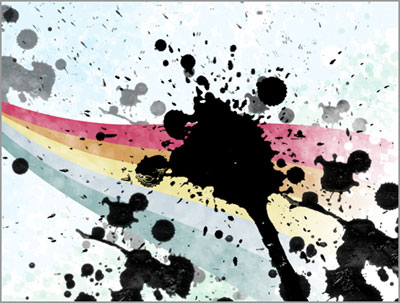
    Create Beautiful young woman jumping in Photoshop CS3

    Create Beautiful young woman jumping in Photoshop CS3

    Create Beautiful young woman jumping in Photoshop CS3 Beautiful young woman jumping ...
    Inspired by curves, shapes, and the great scene by the nature. this illustration reflect the scene and the atmosphere created by the house, jazz and easy listening music.


    PSDTUTS+ Photoshop Tutorials and More