Categories

Partners
  • IPowerWeb Hosting

  • Free Flash Website

  • Website Templates

  • Adobe Photoshop Tutorials

  • Bittorent and
    Google desktop programs

  • Free Stock Photos and Images

  • Adobe Photoshop Tutorials

  • Photoshop, Flash, 3dsmax tutorials

  • Merry Christmas Tree
  • Search


    Advanced Search


    PSD to HTML

     »  Adobe Home  »  Adobe Photoshop  »  Designing  »  Star Wars Poster
    Star Wars Poster
    Published  10/21/2007 | Designing
       
    Star Wars Poster - part 1


    In this tutorial you will learn how to make a custom Star Wars Theme using Adobe Photoshop CS3.

    Create a new file (File>New) with 1024x768 px and 72 dpi and select for it the Paint Bucket Tool (G) to paint the file in black color.

    Create Star Wars Poster in Photoshop CS3

    Apply also for this layer the next option: Filter>Noise>Add Noise
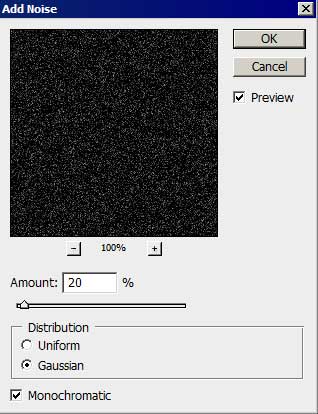
    Create Star Wars Poster in Photoshop CS3 

    Create Star Wars Poster in Photoshop CS3

    Make a copy of the new made layer and change Blending Mode - Multiply

    Create Star Wars Poster in Photoshop CS3

    Make another copy of the layer, changing the Blending Mode-Vivid light
    Create Star Wars Poster in Photoshop CS3

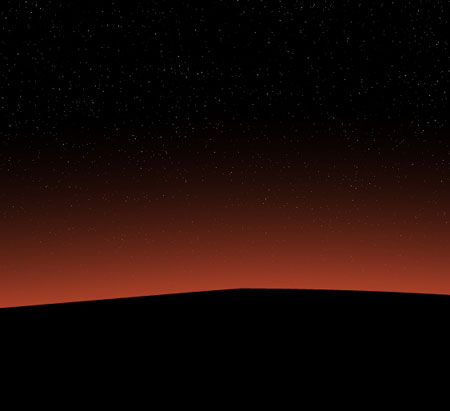
    Create a new layer and use on it the standard brush of black color to dark out the lowest part of the picture.
    Create Star Wars Poster in Photoshop CS3

    Select now the Ellipse Tool (U) to make the picture’s surface look black and then we have to apply the Add Anchior Point Tool to insert one more top on the picture. The Convert Pont Tool may help us in correcting the element’s shape.
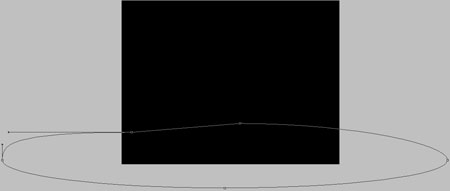
    Create Star Wars Poster in Photoshop CS3

    The layer’s parameters: Blending Options>Outer Glow
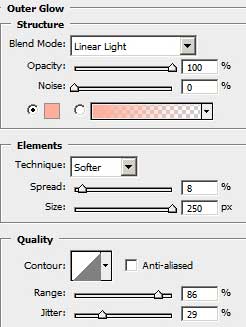
    Create Star Wars Poster in Photoshop CS3 

    Create Star Wars Poster in Photoshop CS3

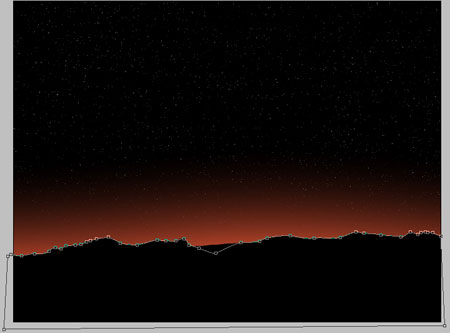
    Next step includes selecting the Pen Tool (P) and making the first plan of the picture look entirely black. The shape may be corrected again with the Convert Pont Tool.
    Create Star Wars Poster in Photoshop CS3

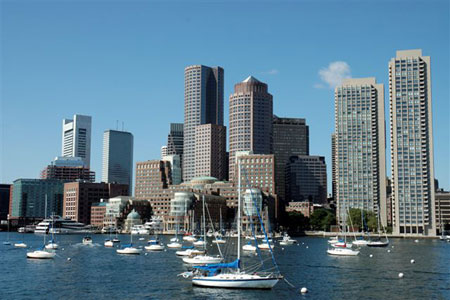
    Find in Internet a picture representing a city.
    Create Star Wars Poster in Photoshop CS3

    Create Star Wars Poster in Photoshop CS3 Star Wars Poster
    In this tutorial you will learn how to make a custom Star Wars Theme using Adobe Photoshop CS3.