
Love Poster
This free Adobe Photoshop CS3 tutorial shows how to make a Love colored poster.
Create a new file (File>New) that would have 1024×768 px and 72 dpi.

Next we have to find in Internet a kissing couple in the middle of the nature.
We will use image from www.irishviews.com !


Cut out the couple and the front part of the landscape to insert it on our basic picture.

Select the Rectangle Tool (U) to represent the layer behind the couple, placing it lower than the couple’s layer (on the layers’ panel).
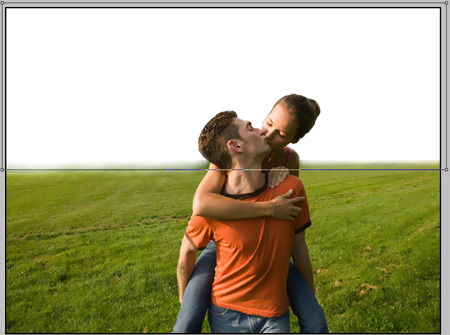
The layer’s parameters: Blending Options>Gradient Overlay
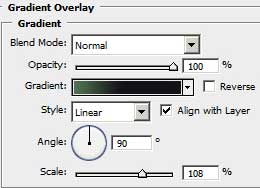
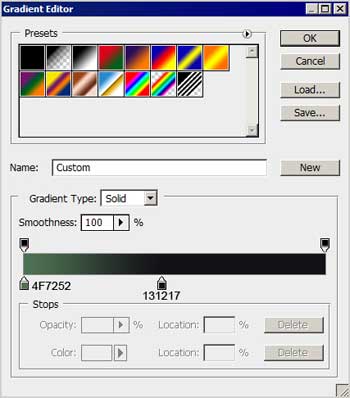
Gradient’s parameters:

Download from Internet a picture of the blue sky with clouds on it.
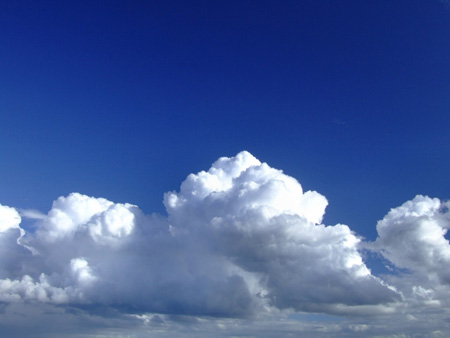
Cut out the clouds, moving off the upper part of the sky and then insert the layer on the picture. The layer must be placed lower again than the couple.

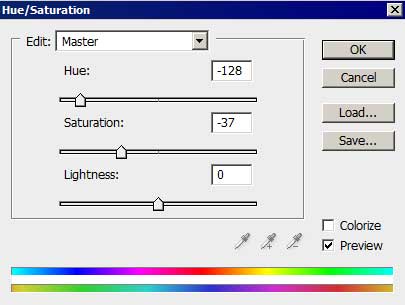
Make a click on the lowest part of the layers’ panel on the next option: Create new fill or adjustment layer>Hue/Saturation. The layer must be placed lower than the couple’s layer.

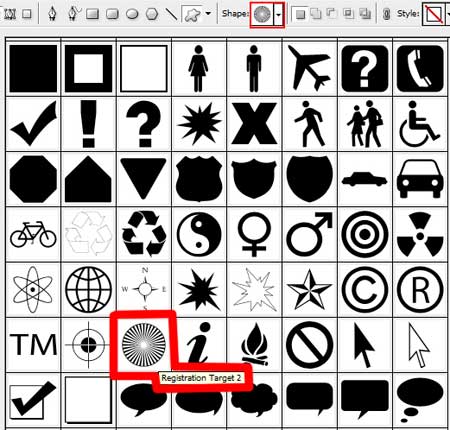
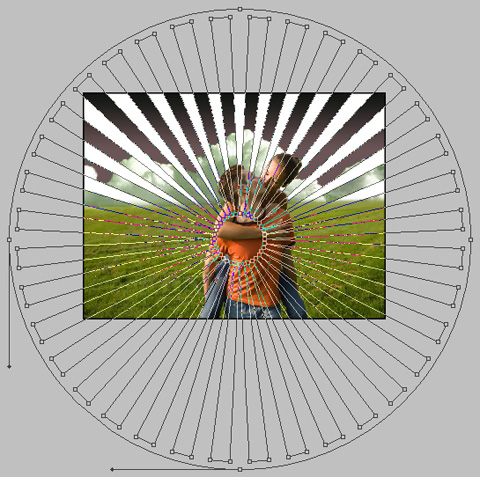
Using the Custom Shape Tool (U), it’s possible to represent several rays on the sky, choosing the white color for them. Place this layer lower than the kissing couple’s layer.
Comments