
Draw Merry Christmas Illustration
In our detailed tutorial you will learn how to draw an excellent illustration.
Final Image Preview

Start by creating a new file (File>New), having 800×300 and 100 dpi.
Apply now the Rectangle Tool (U) to represent the background of the picture to be next:
Set the next parameters for the layer by making a mouse click on the processed layer on the layers’ panel:
Blending Options>Gradient Overlay
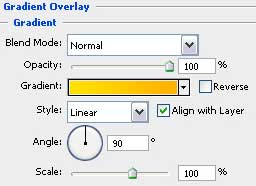
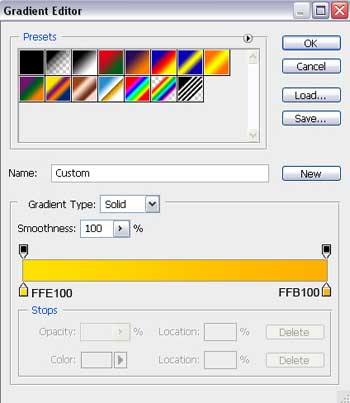
Gradient’s parameters:


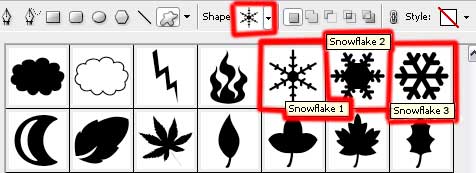
Next we have to choose the Custom Shape Tool (U) to represent several snowflakes of different sizes and white color.

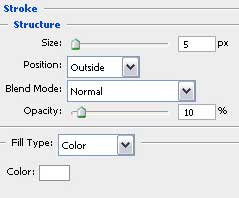
The snowflakes’ layers should have the next parameters indicated: Fill 50%
Blending Options>Stroke

Try to represent now a Christmas special toy decoration, using the Ellipse Tool (U) for drawing the primary layer of the fir tree’s decoration.

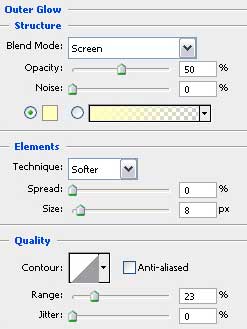
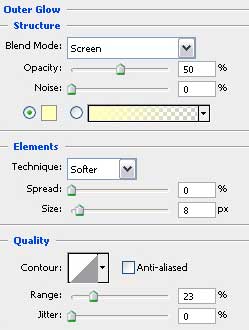
The layer’s parameters: Blending Options>Outer Glow
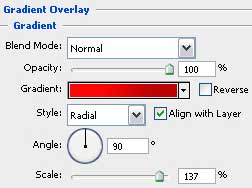
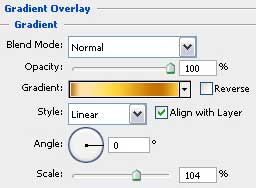
Blending Options>Gradient Overlay
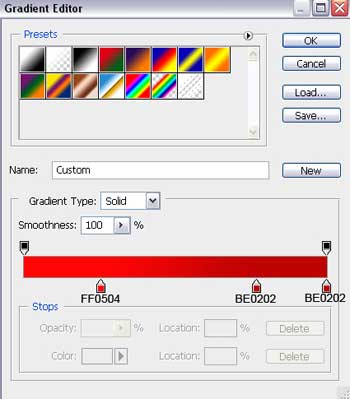
Gradient’s parameters:

Applying the same tool, it’s possible to make three more decorations of different colors.
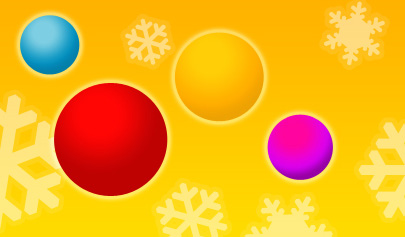
The parameter Blending Options>Outer Glow is the same for all decorations (the same with the red toy decoration)
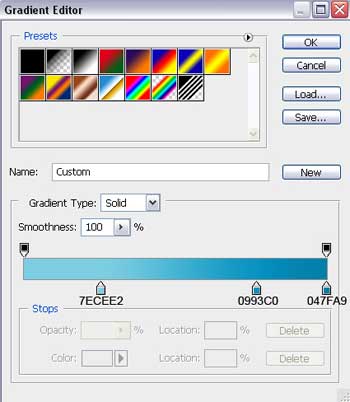
1) The parameters for the blue ball decoration: Blending Options>Gradient Overlay
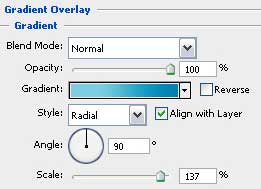
Gradient’s parameters:
2) The parameters for the yellow ball decoration: Blending Options>Gradient Overlay
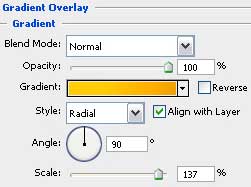
Gradient’s parameters:
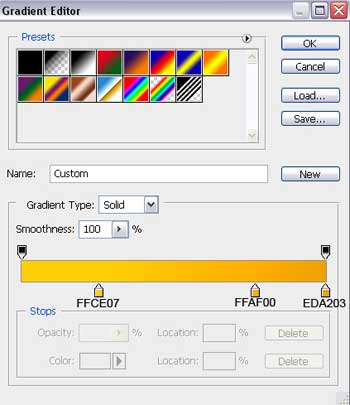
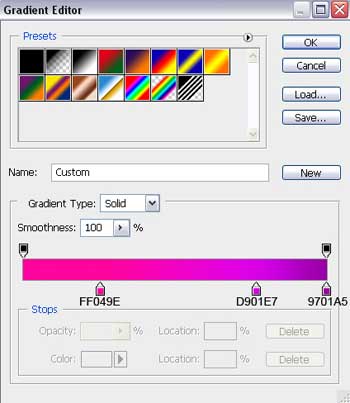
3) The parameters for the violet ball decoration: Blending Options>Gradient Overlay
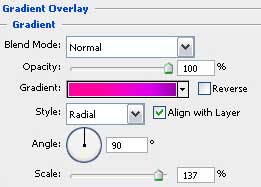
Gradient’s parameters:
Next we have to represent the top part of the fir tree’s toy decoration, selecting for this operation the Rectangle Tool (U) and correcting its shape with the Convert Point Tool.
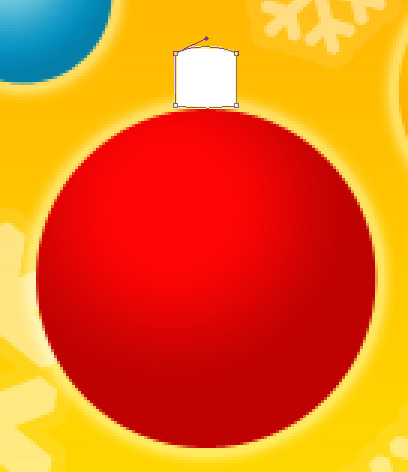
The layer’s parameters: Blending Options>Outer Glow
Blending Options>Gradient Overlay
Comments