
Windows Abstract Desktop Wallpaper
Create an awesome abstract wallpaper by making your own abstract art.
Create a new file (File>New), having 1024×768 px and 72 dpi.
Use after the Rectangle Tool (U) to draw the background of the figure to be.
Select next demonstrated layer’s parameters by making a mouse click on the layers’ panel.
Blending Options>Gradient Overlay
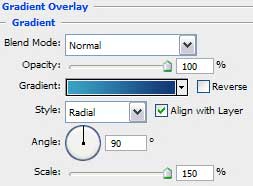

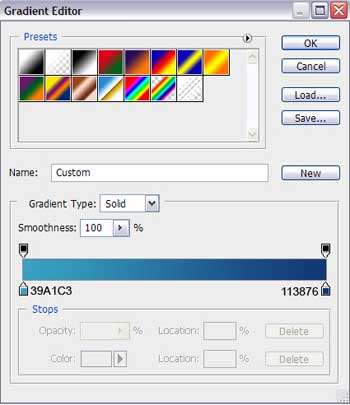
Gradient’s parameters:

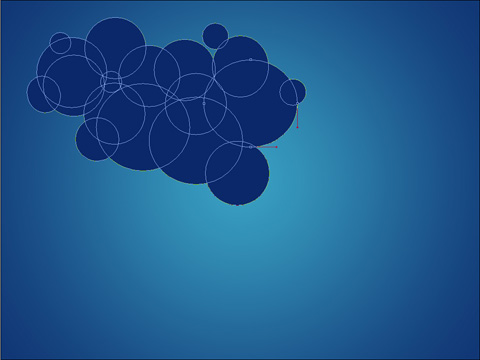
Now we should select the Ellipse Tool (U) to represent the clouds for the picture (it means drawing several circles on the same layer), pressing SHIFT simultaneously.
The layer’s parameters: Blending Options>Gradient Overlay 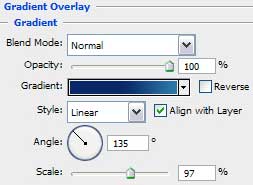
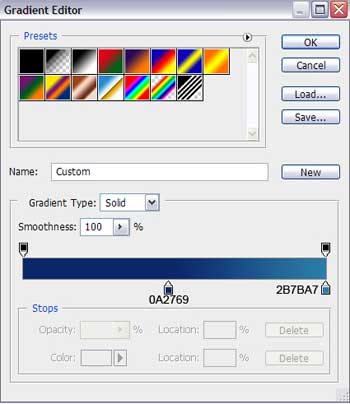
Gradient’s parameters:

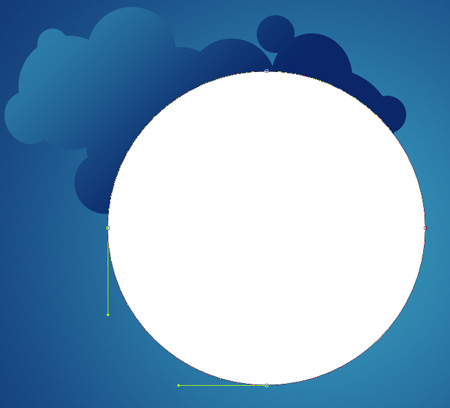
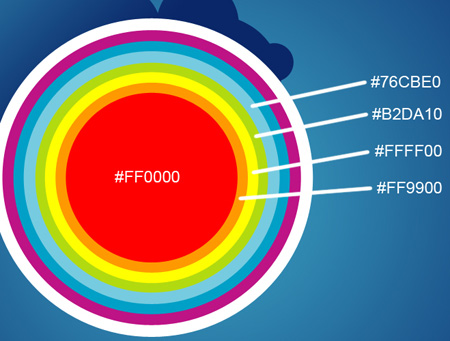
Next we have to draw the rainbow’s semicircles, applying the same Ellipse Tool (U).
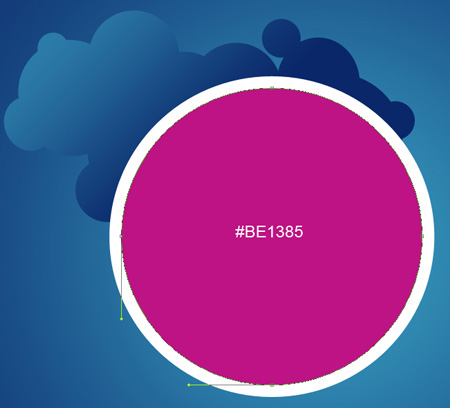
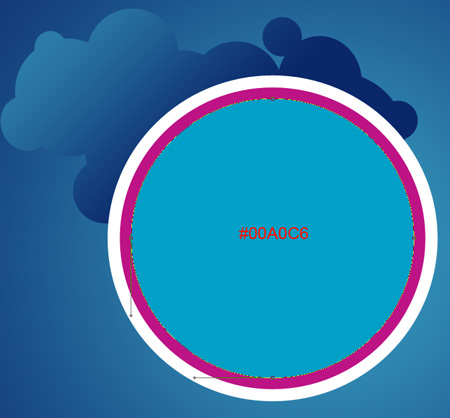
Use the next indicated colors for the rainbow’s elements.
Comments