
Photo Portfolio Web Page Layout
This tutorial will show you how to create a clean looking web layout for your portfolio.
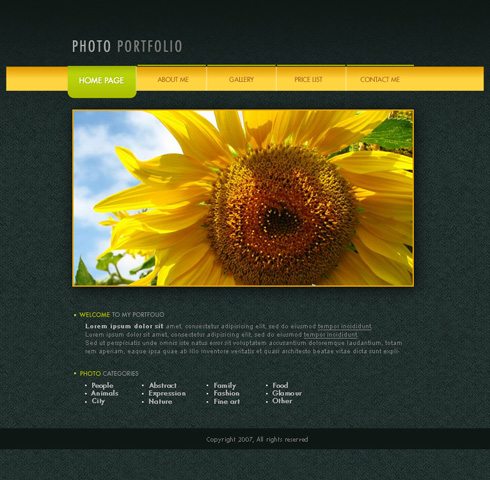
Create a new file (File>New) with 766×750 px and 72 dpi. Next use the Paint Bucket Tool (G) to paint the new layer with this shown color – #0F1715

Find in Internet a kind of pattern, like this one:
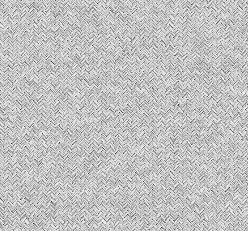

Edit>Define Pattern. Create a new layer and select this option Edit>Fill, to insert the pattern on our main picture.

Make a mouse click on the same layer on Add a Mask option that may be found on the lowest part of the layers’ panel. Next choose the Brush Tool (B) and Opacity of 20% of black color to clean out the upper part of the picture.
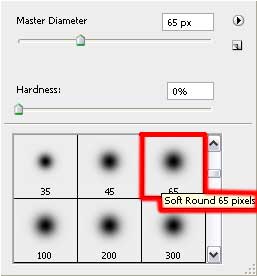

Select for this layer these parameters: Blending mode-Soft Light

The Rectangle Tool (U) is helpful in drawing a thin stripe on the lowest part of the picture. The element’s color is #0F1715

Using the same instrument, it’s possible to represent the menu’s panel, reserved for the site’s header.

Apply the next parameters by making a mouse click on the layer we work with on the layers’ panel.
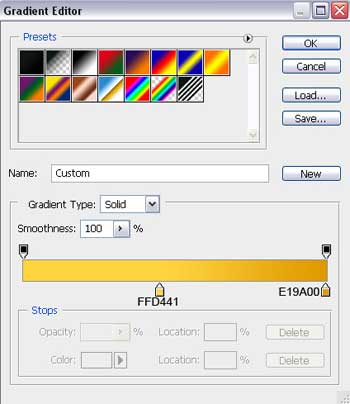
Blending Options>Gradient Overlay
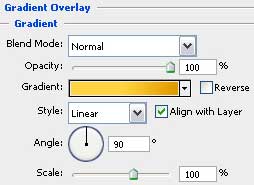
Gradient’s parameters:

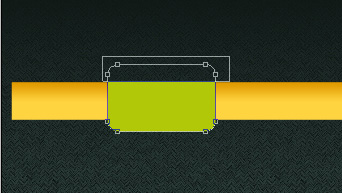
Use the Rounded Rectangle Tool (U) with a radius of 10 px to draw on the menu’s panel a button. Next stage we should hold on Alt button while using the Rectangle Tool (U) and cut out the unnecessary elements.
Comments