Video Blog Web Page

March 27th, 2008 by ART-D Posted in Adobe Photoshop, Web Layout

Create Video Blog Web Page in Photoshop CS3

The additional information about the file:

Create Video Blog Web Page in Photoshop CS3

the main text:

Create Video Blog Web Page in Photoshop CS3

the link:

Create Video Blog Web Page in Photoshop CS3

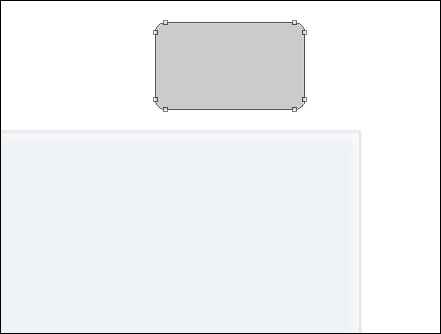
Make a copy of the earlier made horizontal interrupted line under the video player. Merge Down the layers (CTRL+E). Turn over the copy on 90 degrees and erase the unnecessary elements, applying the Eraser Tool (E).

Create Video Blog Web Page in Photoshop CS3

Insert the pictures of the earlier watched video files:

Create Video Blog Web Page in Photoshop CS3 

Make two copies of the elements’ group we’ve represented under the video player’s panel. Choose then the Free Transform option to place the copy under the video files’ pictures:

Create Video Blog Web Page in Photoshop CS3

On the last stage we’ll introduce the corresponding number of the users’ comments and the rating of the video files.

Create Video Blog Web Page in Photoshop CS3 

Create Video Blog Web Page in Photoshop CS3 

Create Video Blog Web Page in Photoshop CS3

Finished!

View full size here.

  •  

  •    
  •  


Post Pages: 1 2 3 4 5 6 7 8 9

  • Bill Bartmann

    02/09/2009

    Cool site, love the info.

  • Bill Bartmann

    09/09/2009

    Excellent site, keep up the good work

  • sandrar

    10/09/2009

    Hi! I was surfing and found your blog post… nice! I love your blog. :) Cheers! Sandra. R.

  • Bill Bartmann_

    11/09/2009

    Great site…keep up the good work.

  • Carl Vandors

    30/09/2009

    Hey very nice blog!!….I’m an instant fan, I have bookmarked you and I’ll be checking back on a regular….See ya