StarCraft Interface Design

April 4th, 2008 by ART-D Posted in Adobe Photoshop, Text Effects

Next step includes introducing the text on the central part of the picture, keeping the next demands for the inscription(font Stracraft you can find here):

Create StarCraft Interface Design in Photoshop CS3 

Create StarCraft Interface Design in Photoshop CS3

The layer’s parameters: Blending Options>Drop Shadow

Create StarCraft Interface Design in Photoshop CS3

Blending Options>Inner Shadow

Create StarCraft Interface Design in Photoshop CS3

Blending Options>Inner Glow

Create StarCraft Interface Design in Photoshop CS3

Blending Options>Bevel and Emboss

Create StarCraft Interface Design in Photoshop CS3

Blending Options>Bevel and Emboss (Contour)

Create StarCraft Interface Design in Photoshop CS3

Blending Options>Satin

Create StarCraft Interface Design in Photoshop CS3

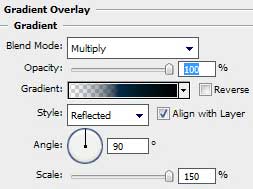
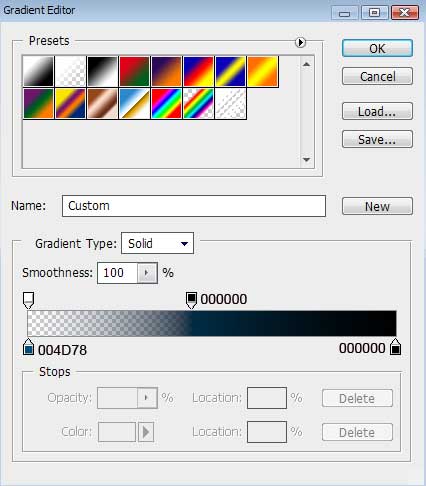
Blending Options>Pattern Overlay here we shall choose the pattern out of the set Texture Fill 2

Create StarCraft Interface Design in Photoshop CS3 

Create StarCraft Interface Design in Photoshop CS3

Post Pages: 1 2 3

  • lor

    04.04.08

    Amazing, keep the good work on.