
Loading Interface
Sick of the loading interface? Learn how to make rich loading interface with blending modes, gradients, and tons of layers.
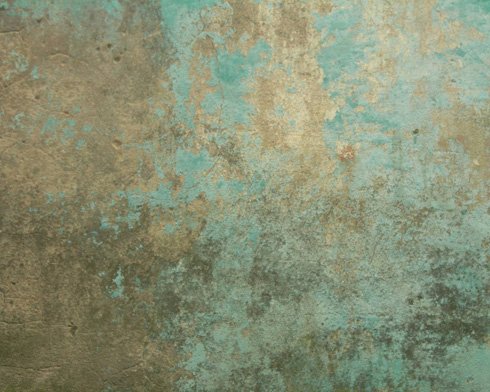
Download out of Internet the same texture, like the next one, having 1280×1024 px and 72 dpi.
Press CTRL+SHIFT+U
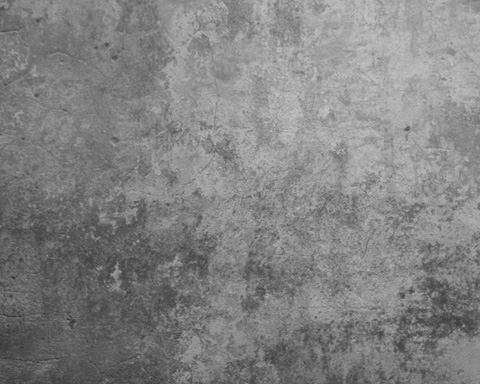
Set the next parameters for the above downloaded texture’s layer by making a mouse click on the layer we work with in the layers’ panel: Blending Options>Gradient Overlay

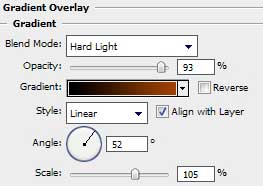
Gradient’s parameters: 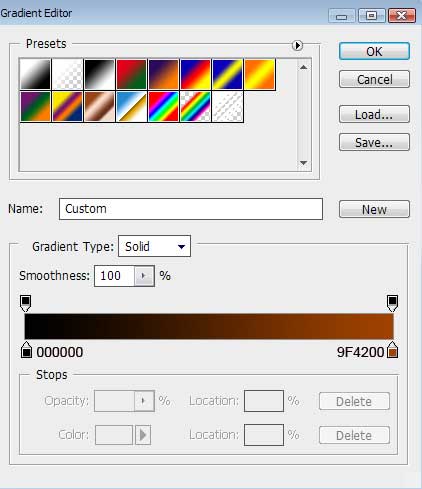

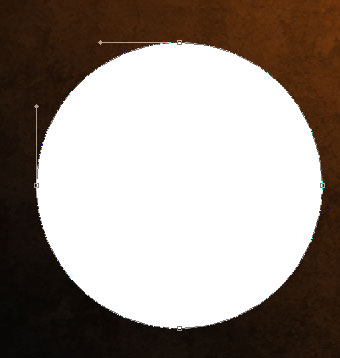
Next we shall use the Ellipse Tool (U) to represent the primary layer of an abstract element:
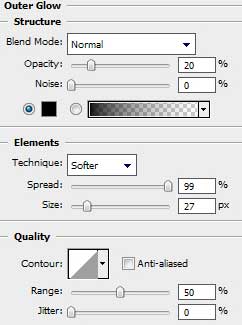
The layer’s parameters: Blending Options>Outer Glow
Blending Options>Inner Glow 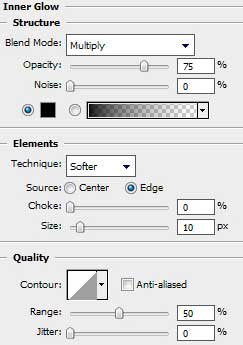
Blending Options>Gradient Overlay
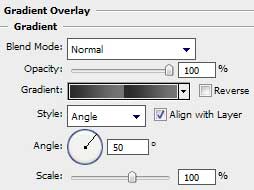
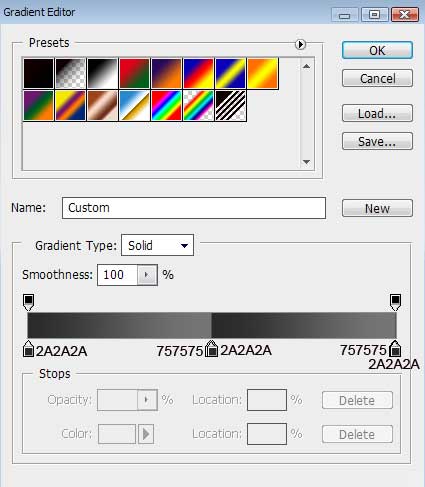
Gradient’s parameters:
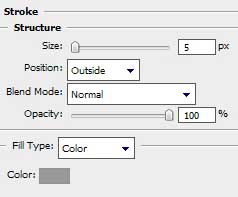
 Blending Options>Stroke
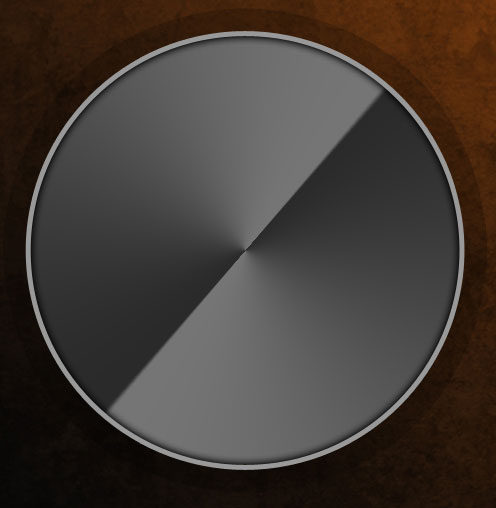
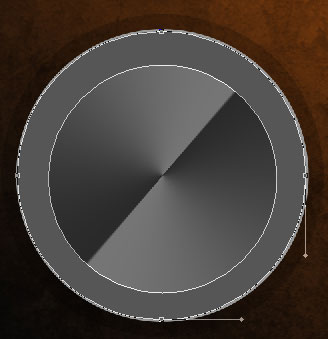
Next try to represent a circle, colored with #565656. It’s necessary to use for the beginning the Ellipse Tool (U) to represent the outside edges and then press Alt button to cut out the inside element’s part, applying the same tool.
The layer’s parameters: Blending mode-Lighten
Blending Options>Inner Glow 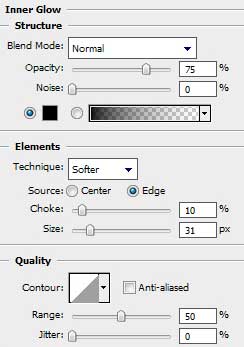
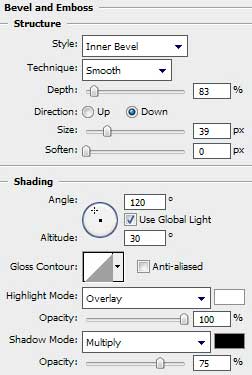
Blending Options>Bevel and Emboss

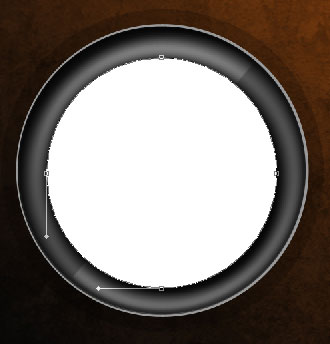
Using the already known Ellipse Tool (U), try to create the next layer, belonging to the same element:
The layer’s parameters: Blending Options>Gradient Overlay
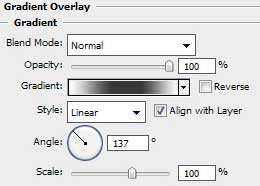
Gradient’s parameters: 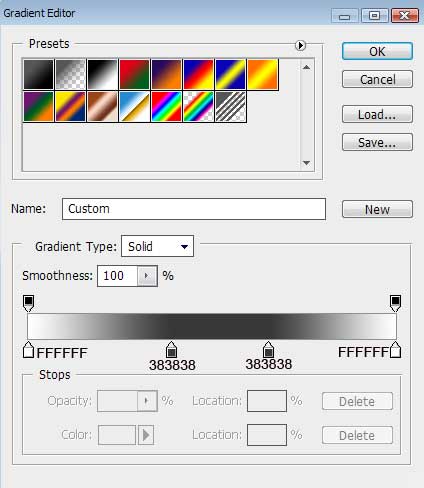
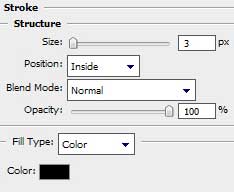
Blending Options>Stroke
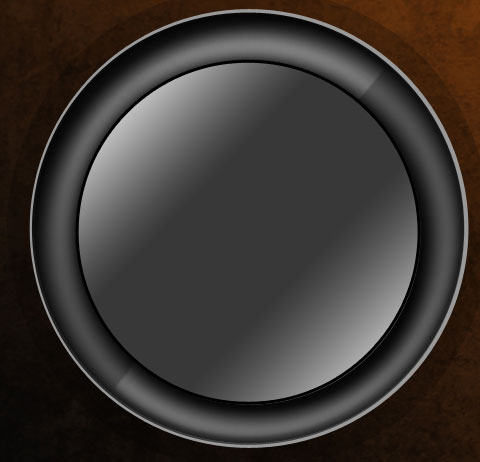
Use the last applied tool to represent the next layer, belonging to the same abstract element we want to get finally:
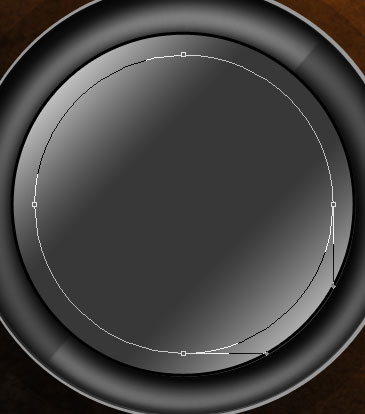
The layer’s parameters: Fill 0%
Blending Options>Drop Shadow 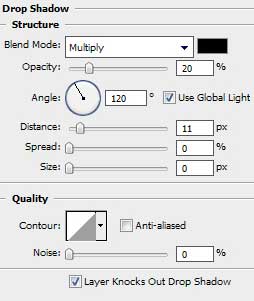
Comments