
Boom Boom Wallpaper
In this easy tutorial made for Photoshop CS3. I will show you how to create very attractive Boom wallpaper.
Let’s create a new file (File>New), having 1280×1024 px and 72 dpi. Then we have to select the Gradient Tool (G) to fill the new file with the color #C2C2C2.

Download out of Internet the pattern named s0nkite.

Using the Rectangle Tool (U), it’s possible to represent the background of the picture to be.


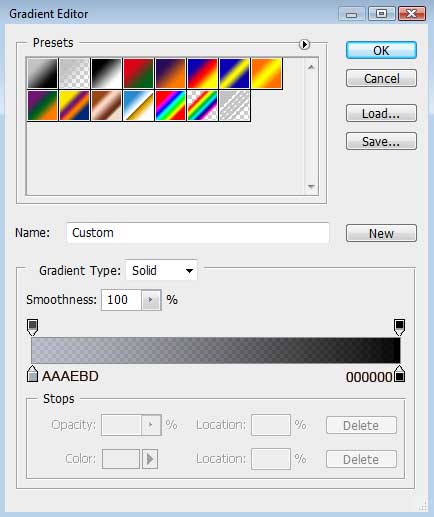
Set the next demonstrated parameters for the made layer by clicking on the layer we work with on the layers’ palette. Blending Options>Gradient Overlay 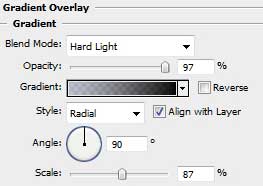
Gradient’s parameters:
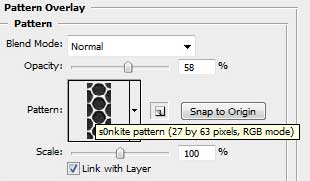
Blending Options>Pattern Overlay
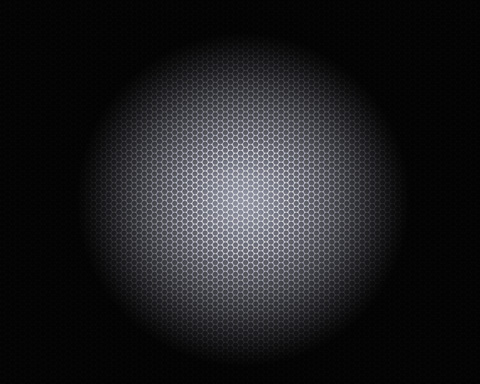
Select on this step the Pen Tool (P) to try drawing a kind of explosion on our picture.

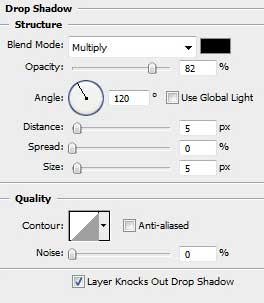
The layer’s parameters: Blending Options>Drop Shadow
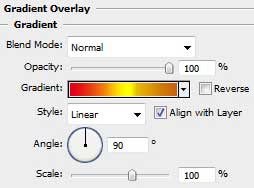
Blending Options>Gradient Overlay
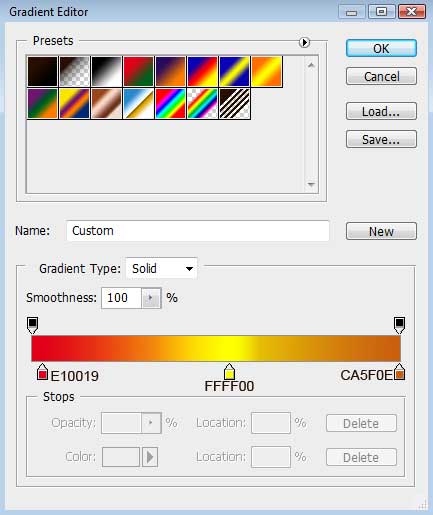
Gradient’s parameters:
Comments