
Digital media player design
This tutorial walks you through the steps of creating a really cool looking video player using Adobe Photoshop CS3. It is illustrated along the way for clarity.
Start working by creating a new file (File>New) with 478×600 px and 72 dpi.

Using the Rectangle Tool (U), it’s possible to represent the background of the picture to be.
Set the next parameters on the made layer by clicking on this layer on the layers’ palette.
Blending Options>Gradient Overlay 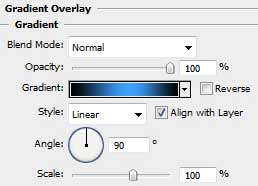

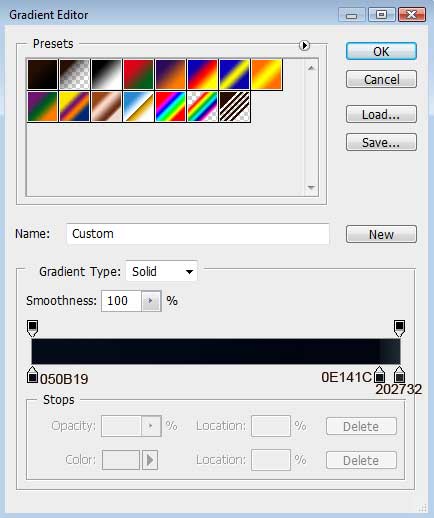
Gradient’s parameters:
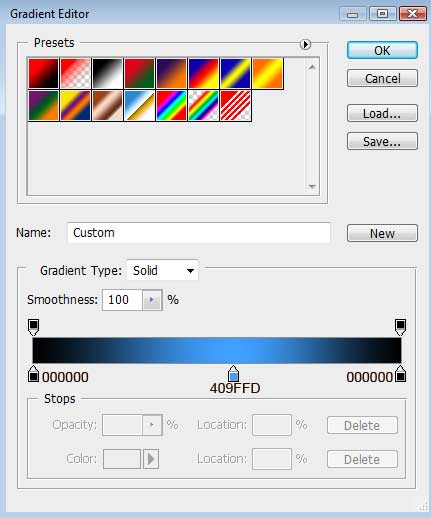

Next we must download out of Internet a kind of picture, like the one from below:
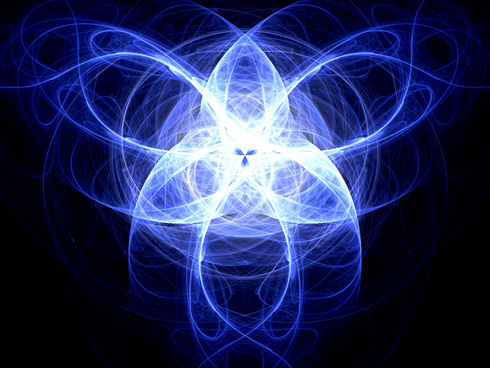
Insert the picture on the made background by a new layer:
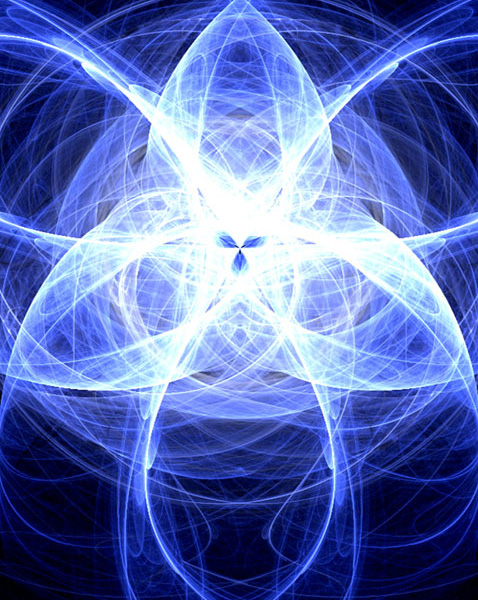
Select the next shown parameters for the picture’s layer: Fill 55%
Blending mode-Soft Light

Now we shall create the primary layer of the media player’s screen, choosing for this operation the Rounded Rectangle Tool (U) with a radius of 5 px.
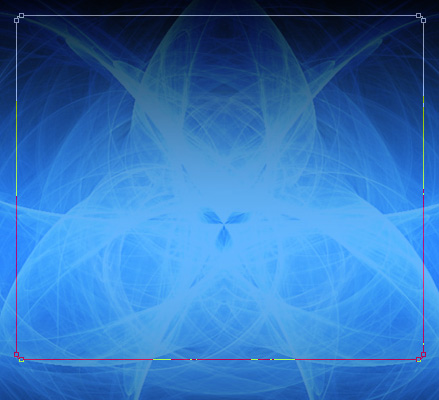
The layer’s parameters: Fill 0%
Blending Options>Gradient Overlay 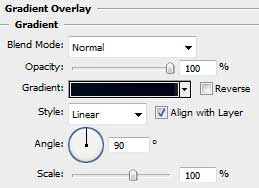
Gradient’s parameters:
Comments