Categories

Partners
 
  • Photoshop Templates

  • Website Templates

  • Web Templates

  • Flash Web Sites

  • WordPress Templates

  • Free Ringtones

  • Free Stock Photos and Images

  • Photoshop

  • St. Louis LASIK | LASIK info

  • Load Cells

  • osCommerce Templates

  • Web Hosting


  • Website Templates
    Search


    Advanced Search


     »  Home  »  Adobe Photoshop  »  Designing  »  RSS Feed Design
    RSS Feed Design
    Published  07/9/2008 | Designing
       
    RSS Feed Design - part 1


    This tutorial shows you a quick and easy way to create a unique RSS design for using on a website, icon or any other purpose you may have.

    Begin your work by creating a new file (File>New) of 1280x1024 px and 72 dpi

    RSS Feed Design in Photoshop CS3

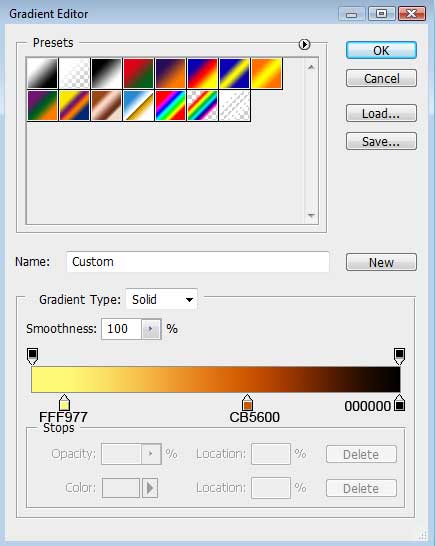
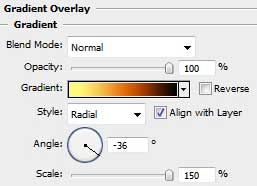
    Select the next indicated parameters by clicking on the layer we work with on the layers’ palette.
    Blending Options>Gradient Overlay
    RSS Feed Design in Photoshop CS3

    Gradient’s parameters:

    RSS Feed Design in Photoshop CS3 

    RSS Feed Design in Photoshop CS3

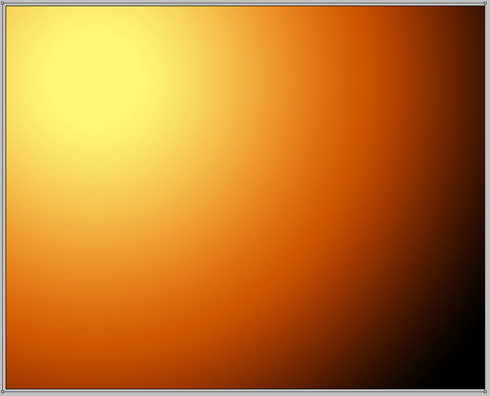
    Using the previous tool, try to make the next layer belonging to the picture.
    RSS Feed Design in Photoshop CS3

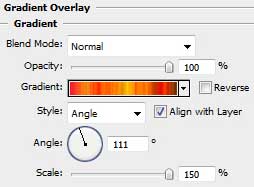
    The layer’s parameters: Blending Options>Gradient Overlay
    RSS Feed Design in Photoshop CS3

    Gradient’s parameters.
    Make a click on Randomize option to get the appropriate color.
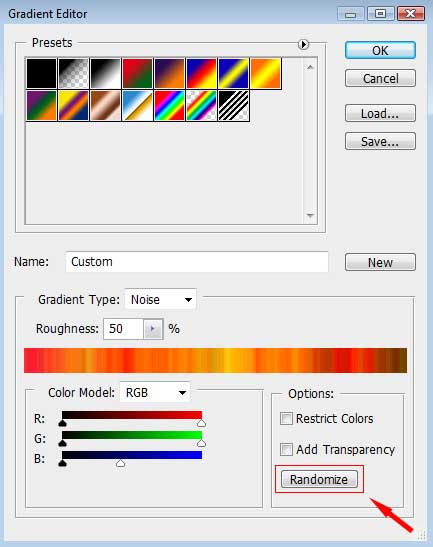
    RSS Feed Design in Photoshop CS3 

    RSS Feed Design in Photoshop CS3

    Next we should create a new layer situated upper than the previous one. Put together the rays’ layer and the new one (press Ctrl button to mark out the necessary layers and then press Ctrl+E). Next set for the new layer that we’ve got the combination of buttons Ctrl+Shift+U

    RSS Feed Design in Photoshop CS3

    On the same layer we should apply the next selection: Blending mode-Vivid Light

    RSS Feed Design in Photoshop CS3

    RSS Feed Design in Photoshop CS3 RSS Feed Design
    This tutorial shows you a quick and easy way to create a unique RSS design for using on a website, icon or any other purpose you may have.


    PSDTUTS+ Photoshop Tutorials and More