Categories

Partners
 
  • Photoshop Templates

  • Website Templates

  • Web Templates

  • Flash Web Sites

  • WordPress Templates

  • Free Ringtones

  • Free Stock Photos and Images

  • Photoshop

  • St. Louis LASIK | LASIK info

  • Load Cells

  • osCommerce Templates

  • Web Hosting


  • Website Templates
    Search


    Advanced Search


     »  Home  »  Adobe Photoshop  »  Designing  »  Natures sunshine
    Natures sunshine
    Published  07/12/2008 | Designing
       
    Natures sunshine - part 2


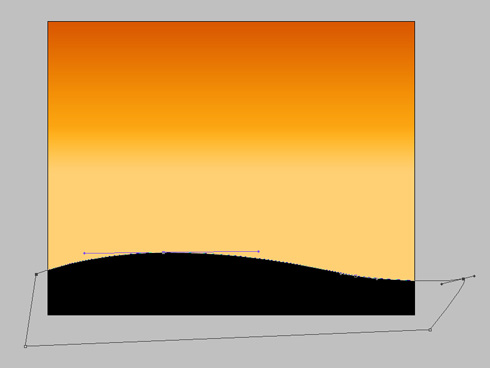
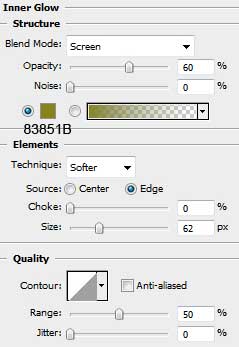
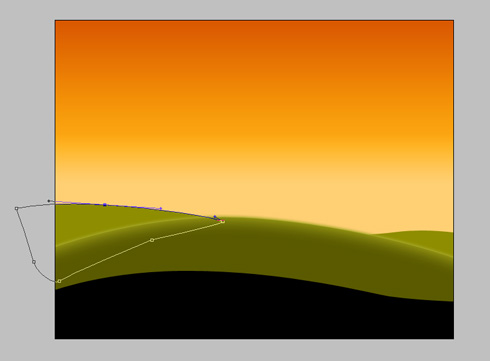
    We’ll get this time the next picture:

    Create Natures Sunshine Wallpaper in Photoshop CS3

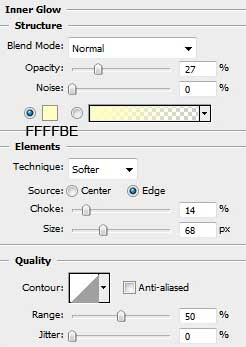
    The same parameters will be applied for the neighboring layer

    Create Natures Sunshine Wallpaper in Photoshop CS3

    Next we’ll choose the Ellipse Tool (U) and represent a circle which must be placed under the layer containing the hills. The circle represents the sun.

    Create Natures Sunshine Wallpaper in Photoshop CS3

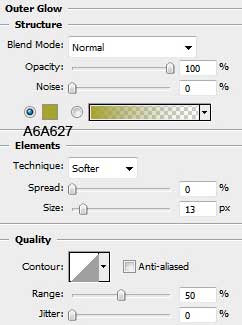
    Set Blending Options>Outer Glow as below:

    Create Natures Sunshine Wallpaper in Photoshop CS3 

    Create Natures Sunshine Wallpaper in Photoshop CS3

    Next we’ll draw the rays of the sun, applying for this operation the Pen Tool (P), placing the rays under the layer containing the sun itself.

    Create Natures Sunshine Wallpaper in Photoshop CS3

    Fill-0% for each ray

    Create Natures Sunshine Wallpaper in Photoshop CS3

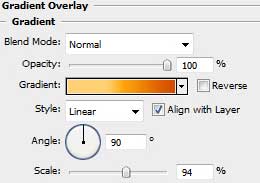
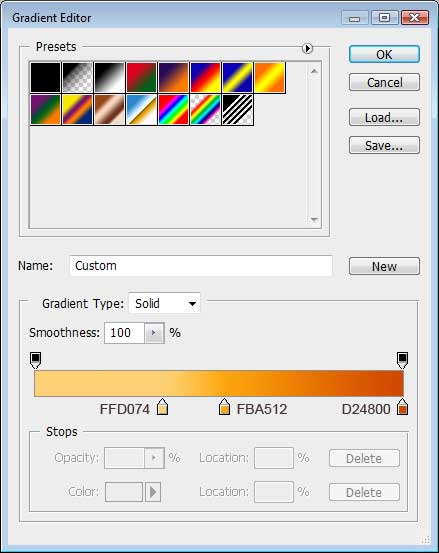
    Blending Options>Gradient Overlay.
    The Angle may be turned around, depending on the ray’s direction, from the central part to the top.

    Create Natures Sunshine Wallpaper in Photoshop CS3

    On this stage we’ll get the next picture:

    Create Natures Sunshine Wallpaper in Photoshop CS3

    The same operation should be done with the rest of the rays.

    Create Natures Sunshine Wallpaper in Photoshop CS3

    Create a new layer (Ctrl+Shift+N) and download out of Internet the brush, named: The_Grasslands_by_midnightstouch.

    Create Natures Sunshine Wallpaper in Photoshop CS3

    Select the brush of black color to represent the field’s flowers and the grass by combining and alternating the process of drawing the plants.

    Create Natures Sunshine Wallpaper in Photoshop CS3

    Create Natures Sunshine Wallpaper in Photoshop CS3 Natures sunshine
    Learn how to create the sunburst shape and simply apply effects on the pictures.


    PSDTUTS+ Photoshop Tutorials and More