Glossy RSS icon
July 24th, 2008 by ART-D Posted in Adobe Photoshop, Buttons
In this tutorial we are going to create a colorful RSS icon for your blog.
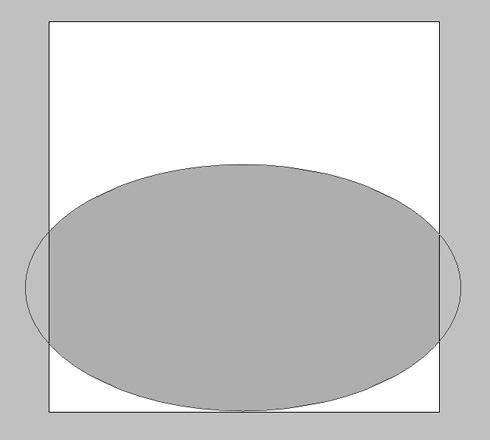
It’s necessary for the beginning to create a new file (File>New) of 512x512px and 72 dpi. Select the Ellipse Tool (U) and try to make an ellipse like the next one:
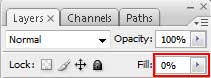
Fill 0% on the layer:
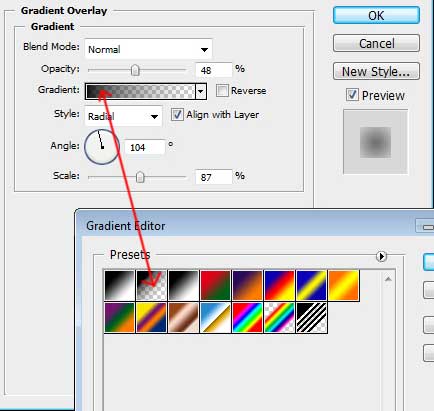
Select Blending Options>Gradient Overlay (making a mouse click on the processed layer on the layers’ palette) setting the next demands as below:

This element we should get. It’ll represent the shadow of the icon:

. Select the same tool to draw now a circle, colored with #F36523

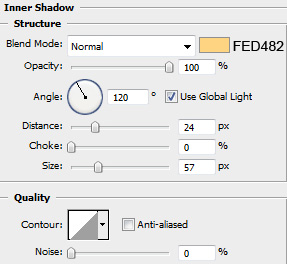
Select Blending Options>Inner Shadow and set the next parameters for the last layer:
Blending Options>Stroke
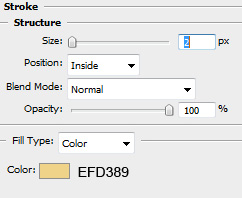
Fill 0% for the layer. We should get the next result. It’ll represent the basis of the icon

Next we shall represent one more circle:

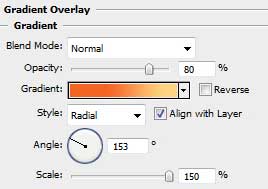
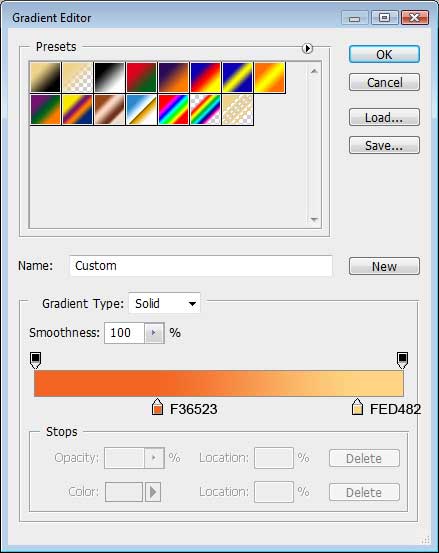
Choose the next selection for the layer: Blending Options>Gradient Overlay
Gradient Editor:
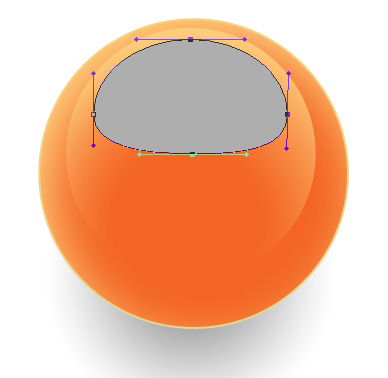
Now we need to draw another circle, but a circle that needs to be corrected with Direct Selection Tool (A), as it is shown below:
Post Pages: 1 2


Tutorials Palace
02/12/2009
Amazing … i love it
Asharak
06/12/2009
Great man, just what i needed! Used it with couple of modifications, but, after all – that is what it is used for – to help about something that we’re stuck in. Keep writing, excelent!
sola
24/12/2009
Thank you for this tutorial. its what i need to improve my design
graffiti vector
24/01/2010
Very nice tutorial thanks
squazzie
14/02/2010
Loved this tutorial and I love you too.
Peace and love, too much time on my hands,
Joshua
Sergey
13/04/2010
Good and bad!!!
Sangeet
25/04/2010
it’s a cool tutorial. Thanks for the tutorail.
Icelime
31/05/2010
Cool tutorial realy
Kathmandu
02/10/2010
Good tutorials easy to understand.
peter
10/10/2010
good rss button
blogs4seo
18/05/2011
Thanks for this nice tips on adobe tutorials this is very basic knowledge on phototshop
maryjane
07/07/2011
I followed your tutorial step by step to a T and I did NOT get the same result. I think you missed a few steps in there….
chezki
13/01/2013
hay! tnx. love it