
Mac – Colorful Design
Learn in this tutorial how to design an awesome wallpaper with Mac logo.
Final Image Preview

Inspired from Fruity Apples by Benjigarner
For the beginning we need to create a new file of 1600×1200 px and 72 dpi. After that create another file of 4×4 px and 72 dpi too. Using the Pencil Tool (B), let’s represent a kind of block, like the next one. The color’s codes for the new elements are shown below.

Select the next option in the main menu – Edit>Define Pattern… Our pattern this way is saved.
Pass then on the first file and select Edit>Fill. Find the pattern in the Custom Pattern selection and press there OK.
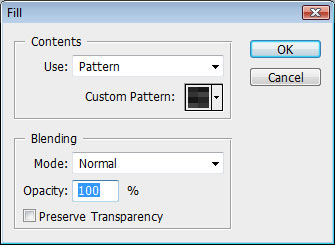

Now we have a texture on the entire canvas.

Choose now the Rectangle Tool (U) and represent several lines, turning them over with the Free Transform option (Ctrl+T). The color’s code is #2A2A2A

Take then the Pen Tool (P) and make an apple’s contour, the same way you may see below. The color’s code is #40b534
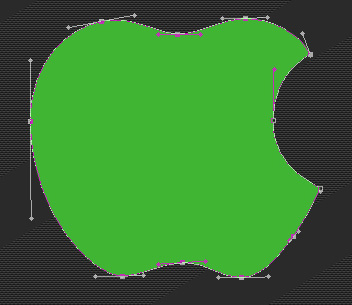
Select for this layer Blending Options>Inner Shadow and follow the next parameters.
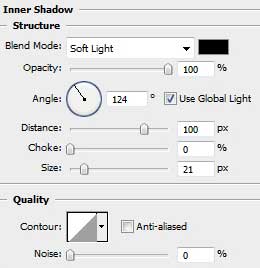
Blending Options>Inner Glow
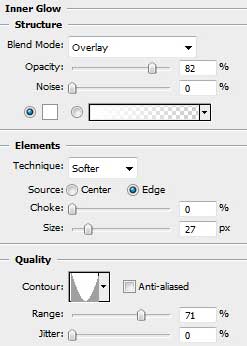
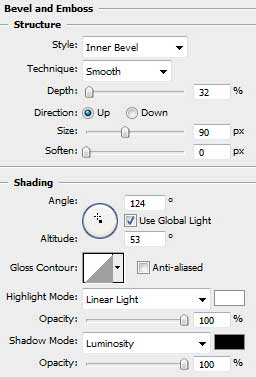
Blending Options>Bevel and Emboss
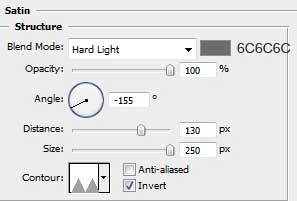
Blending Options>Satin
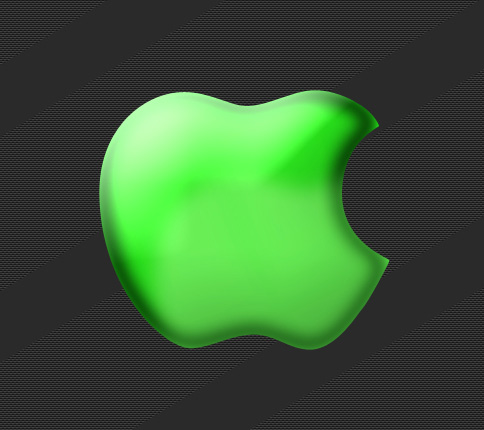
It must be the same result you may see below:
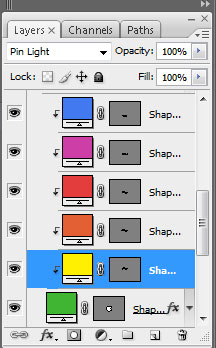
Now we’ll select the Pen Tool (P) to draw several waves of different colors. You may see below all the colors’ codes for the new elements. You may insert also the Blending mode.
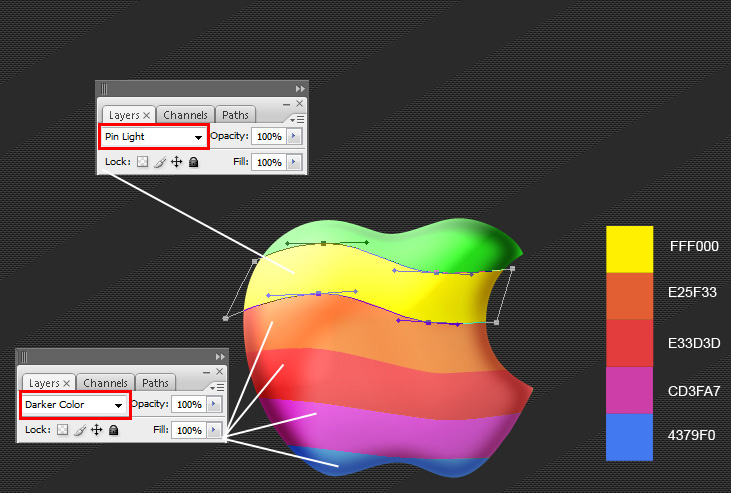
Press Alt button and make a mouse click between the layers (on the layers’ palette). This operation must be done with all the layers containing the waves.
Comments