
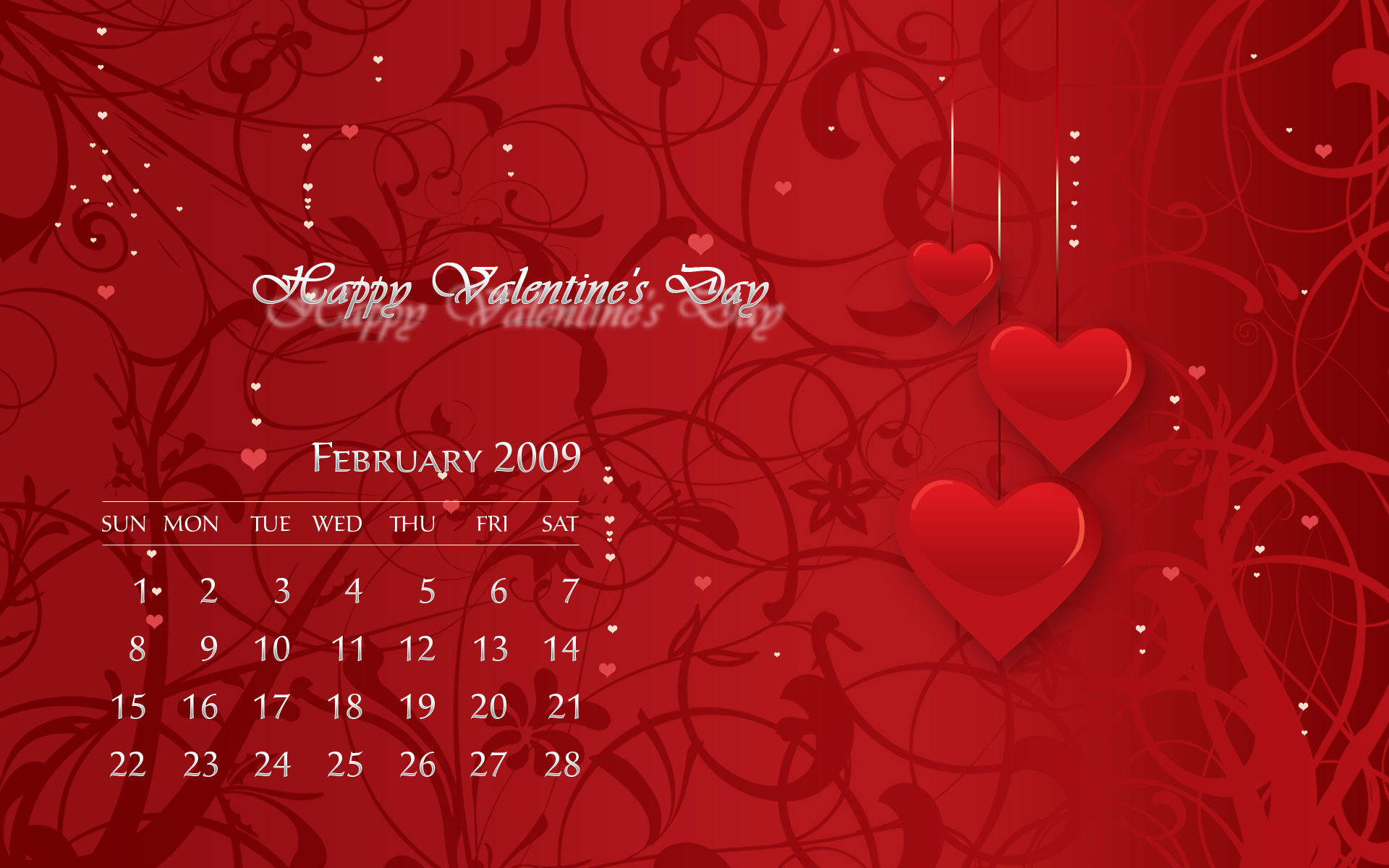
Romantic February 2009 Calendar Wallpaper
To create a warm holiday atmosphere learn how to design a romantic calendar in Valentine’s Day spirit.
Final Image Preview

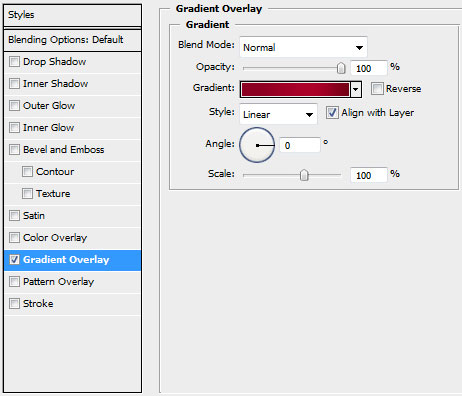
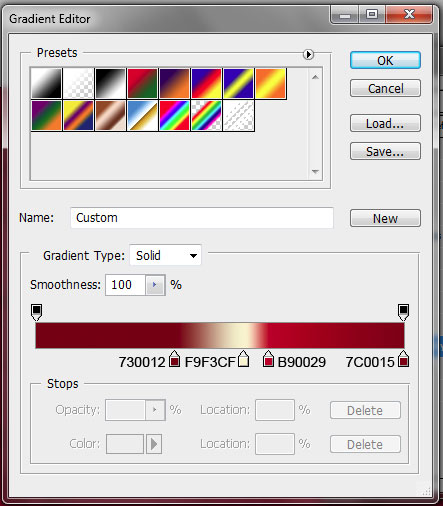
For the beginning create a new file (File>New) of 1920×1200 px and 72 dpi. Select Blending Options – Gradient Overlay on the first layer by making a mouse click on this layer on the layers’ palette just to get the same gradient as on the next image:
Set the same parameters as those from below:
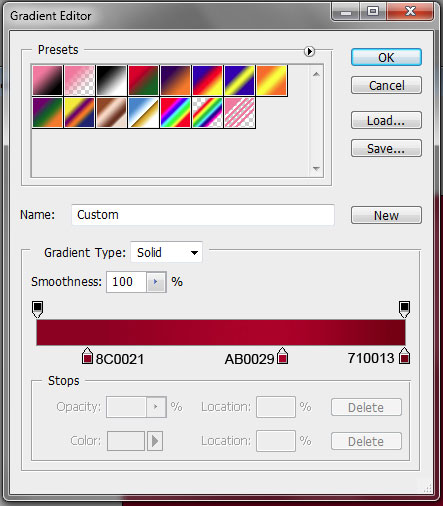
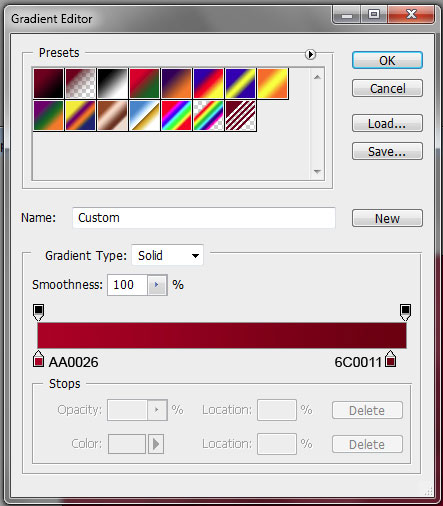
Gradient Editor:


Download a set of ready to use brushes, named 34_Oranments_Flower_brushes_by_bocman1
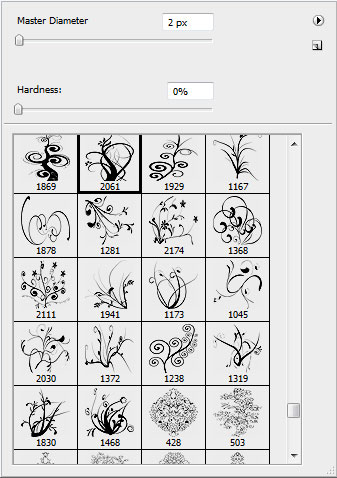
Using the downloaded brushes, try to make a kind of ornament like that one from the next picture:

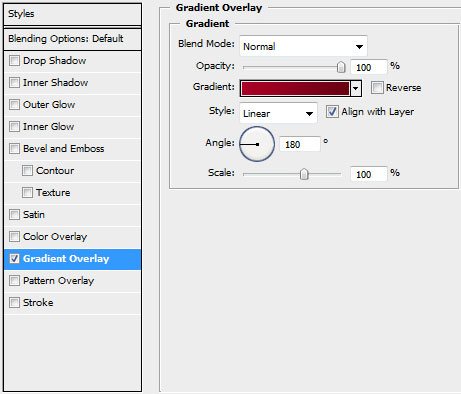
Select the same Blending Options – Gradient Overlay indicated in the table below:
Gradient Editor:
It’s the result you should get at this moment:

Applying the Pen Tool (P), it’s possible to make a heart and situate it on the right part of the screen.

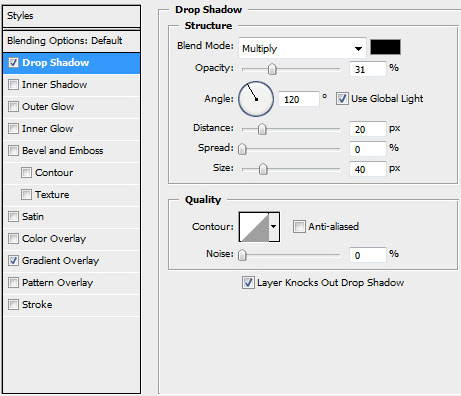
…setting the next demonstrated parameters of Blending Options – Drop Shadow:
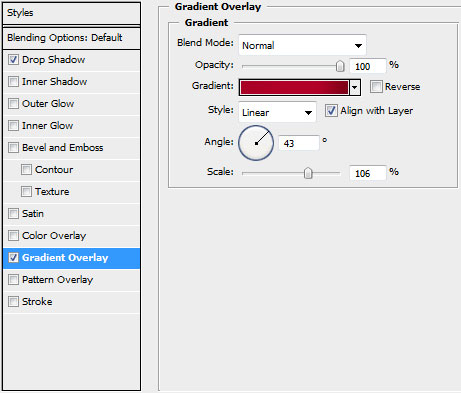
Blending Options – Gradient Overlay:
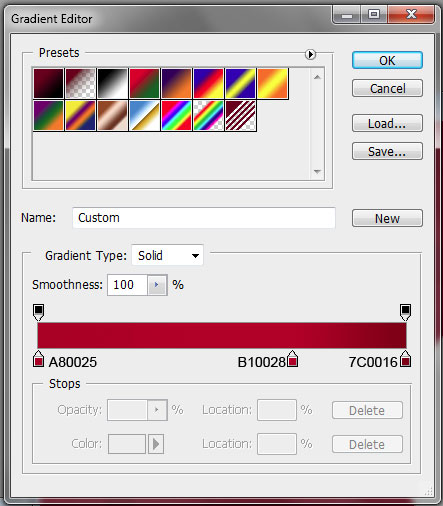
Gradient Editor:
You may see the processed heart, obtaining the shape from below:

Next we’ll make a half-heart element, using the same Pen Tool (P).

Set the same parameters inserted in the next table:
Blending Options – Gradient Overlay
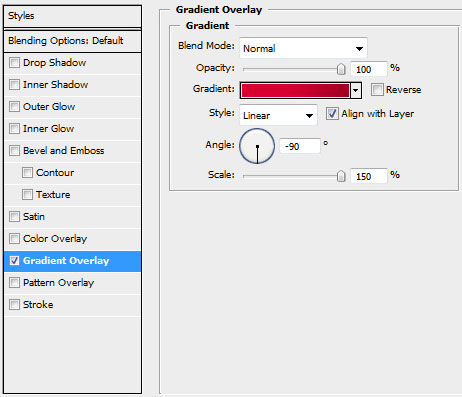
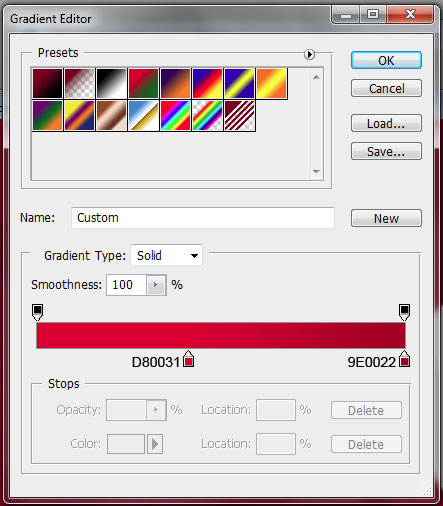
Gradient Editor:
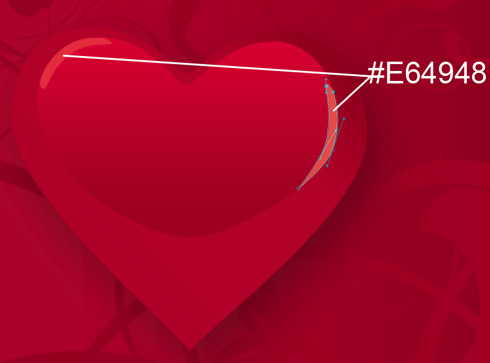
 The same tool may be used for drawing the highlights on the heart:
Then we’ll select the Line Tool (U) of 2 px width to represent a vertical thread.

Set the next parameters for the last made element:
Blending Options – Gradient Overlay
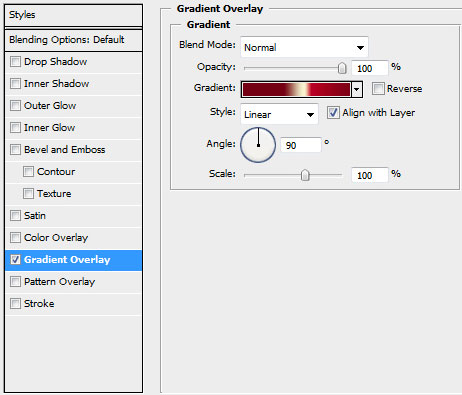
Gradient Editor:
It’s like a ribbon now:

The heart should be copied and then its sizes should be changed with Free Transform option.

Next we’ll choose the very first heart’s layer and make many copies that should be placed arbitrary on the picture:

Insert several bigger hearts of the color #E04549

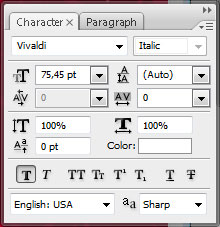
Now we’ll insert the text we want to have on the wallpapers:

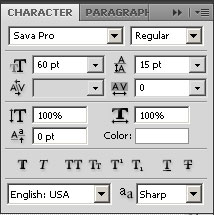
You may see the parameters for the text in the next table:
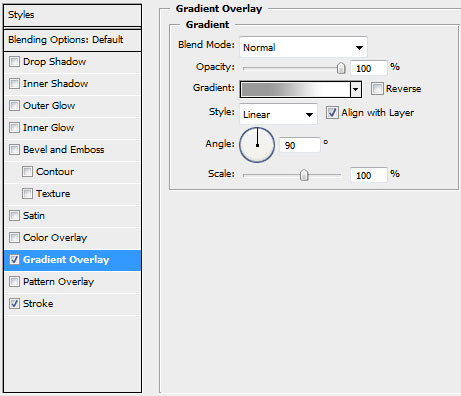
Set the next Blending Options – Gradient Overlay for the text’s gradient:
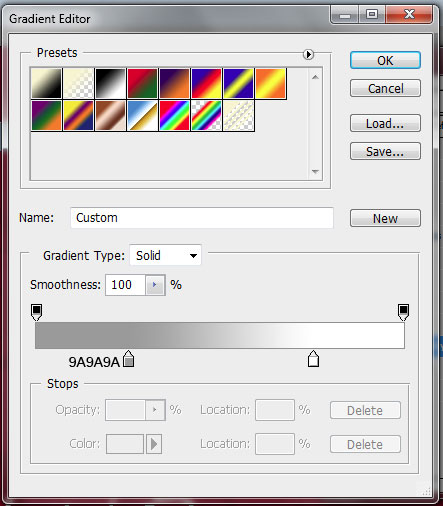
Gradient Editor:
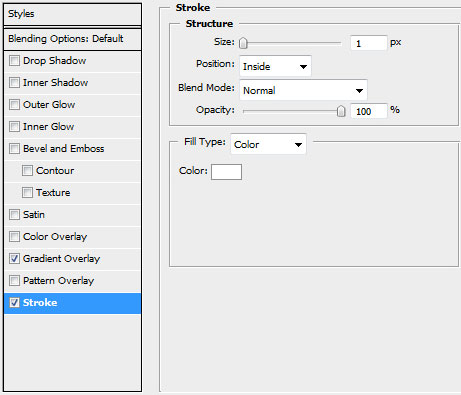
Blending Options – Stroke:
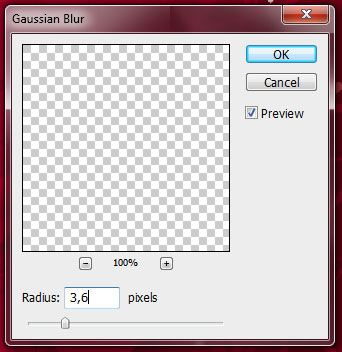
Make a copy of the text, situating the copy under the original one. Then choose the next option – Filter>Blur>Gaussian blur and set the parameters for the last example:

Finished!
View full size here.
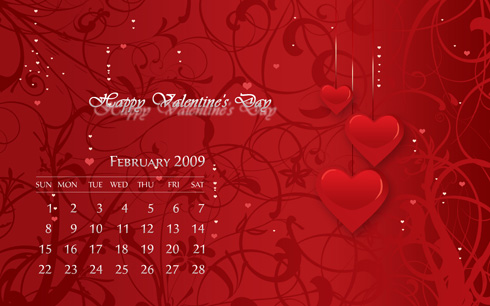
To turn our wallpaper into romantic calendar take the Horizontal Type Tool (T) and add with desired font (adjusting the font size) the month (February 2009), the week days …
Learn More:
March 2009 Calendar Wallpaper
View full size here.
Comments