Graphic Design Studio Web Layout
June 17th, 2009 by ART-D Posted in Adobe Photoshop, Web Layout
Learn how to create an effective and contemporary web layout for your design studio.
Start working by creating a new file (File>New) of 1000×8000px/72 dpi. Using the Paint Bucket Tool (G), now give black color to the new background layer. 
Using a standard brush with the Opacity of 20% on a new layer (Create new layer), it’s possible to represent a spot of red color and then minimize the brush’s size to add some green color by the vertical line. 

Create a new file (File>New) of 3×3px/72dpi where we’ll represent the next pattern. In this case we’ll apply the Pencil Tool (B) (brush 1 px) and black color. The file’s background needs to be removed. 
Edit>Define Pattern
Create a new layer and apply here Edit>Fill, choosing the earlier saved pattern. 
Select now the Rounded Rectangle Tool (U) (radius 10 px) to represent a panel reserved for the portfolio and the text on the site. 
Set the next demonstrated styles by making a mouse click on this layer on the layers’ panel: Blending Options>Outer Glow 
Blending Options>Inner Glow 
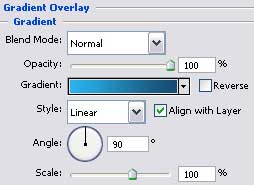
Blending Options>Gradient Overlay 
Gradient’s parameters: 
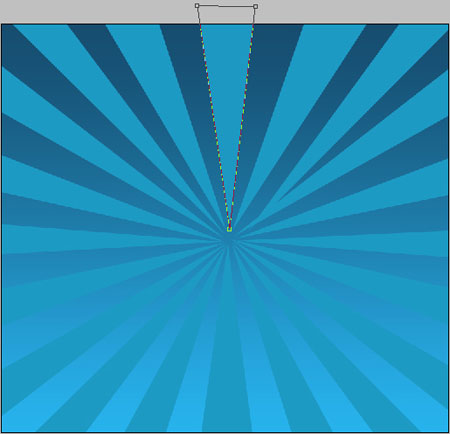
Make a copy of the last made layer and select the Convert Point Tool and Direct Selection Tool (A) to change the placement of the right top corner and the left lowest corner on the picture: 
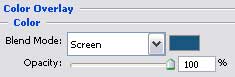
The layer’s styles: Blending Options>Gradient Overlay 
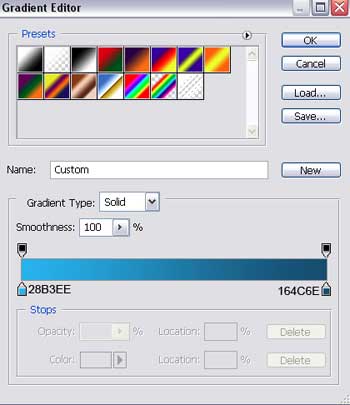
Gradient’s parameters: 

Insert the section’s name, keeping the next shown demands in the table: 

Insert the text we need under the section’s name, keeping also the demands from the table: 

Now we’ll place the pictures on the right side of the site’s name: 


rahul kmar tailor
28/09/2009
good tutorial
clippingimages
28/10/2009
WoW
Awesome tutorials. Thanks for sharing this nice post.
Charles
08/12/2009
That’s really fabulous to know how the things can be when done in proper way, I am really glad that you have given some valuable insights, thank you.
Pudinn
16/01/2010
Please publish de tutorials in only one page for better view
Brendan
16/01/2010
hey, i love this, but im really knew to Designs for Sites in photoshop but catching on fast! i have a quesiton isn’t 1000×8000 a huge file?
and how do i make this work on the web?
that would be another great tutorial!
(email me if you can with any info! ; brendan3457@aim.com)