Create a glossy emblem
September 21st, 2009 by ART-D Posted in Adobe Photoshop, Designing
One flame is made up. Now we must combine in a group all the layers composing the flame (press Ctrl button to mark out the necessary layers and hold on the left mouse’s button while moving the marked layers on Create a new group option)

Make a copy of this group and turn it over by horizontal position (Ctrl+T, changing the gradient’s direction of the flame’s color)

Applying the Ellipse Tool (U), try to represent a circle, placing it under the layers containing the flame:

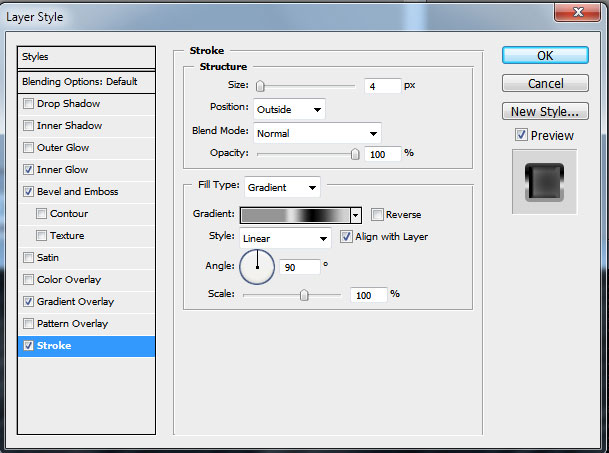
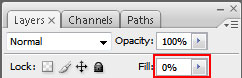
Set the Fill parameter on 0% and choose the next indicated Layer Style:
Blending Options – Stroke

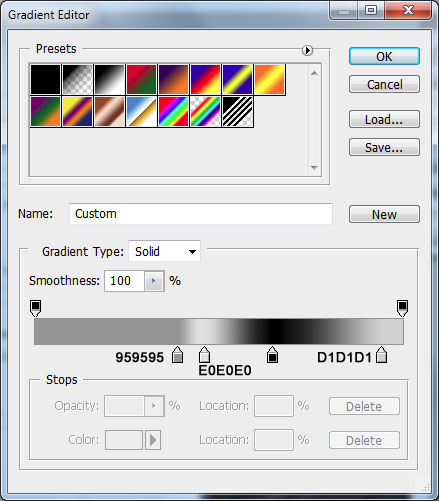
Gradient Editor
It’s the result we’ll get:

Make a copy of this new made circle, making the copy smaller (Ctrl+T) and placing it above all the layers:

Let’s represent one more circle under the layer containing the first circle’s copy and apply to it the next Blending Options>Pattern Overlay. Choose the appropriate texture in the Patterns library.


Create one more new layer, marking it out both with the grid’s layer, using Shift+left mouse click and then put them together Ctrl+E. The new got layer will be turned over, applying Ctrl+T.

… and then Blending Options>Inner Glow.

It’s the result we’ll get:

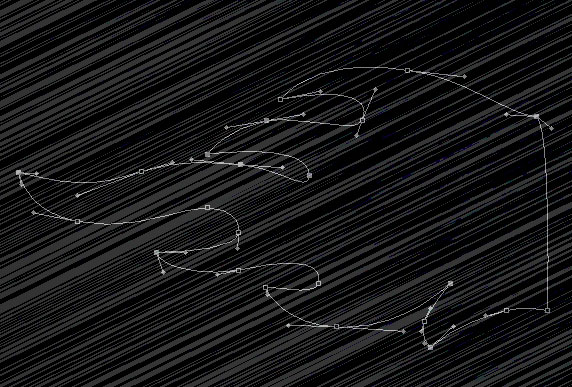
Use now the Pen Tool (P) to represent a lightning:

Set the next parameters for Layer Style:
Blending Options – Drop Shadow

Blending Options – Outer Glow

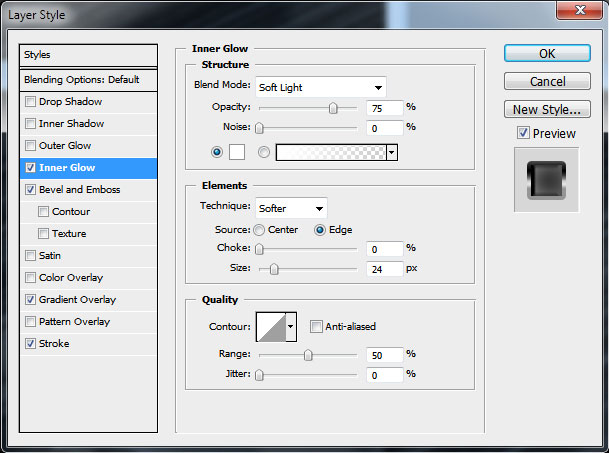
Blending Options – Inner Glow

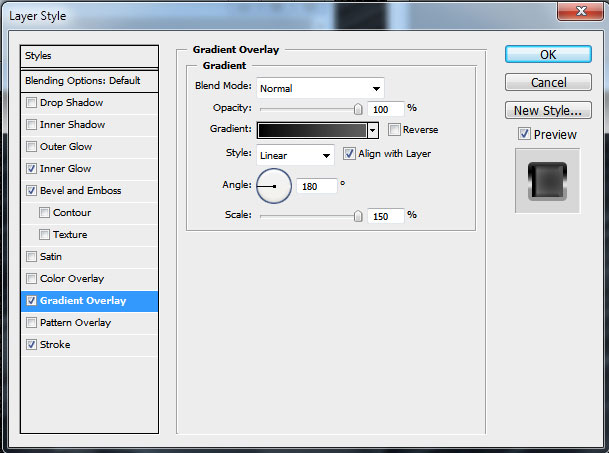
Blending Options – Gradient Overlay

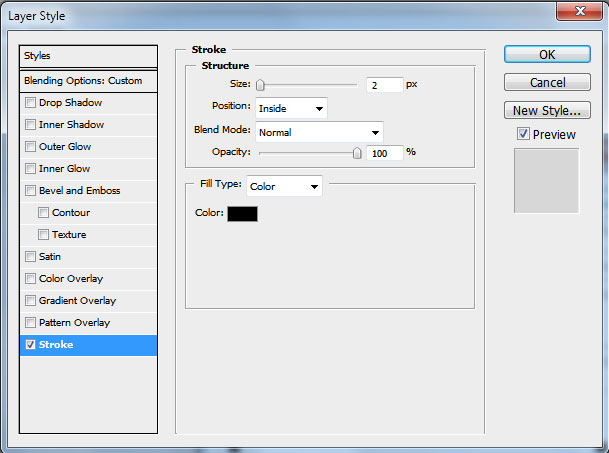
Blending Options – Stroke

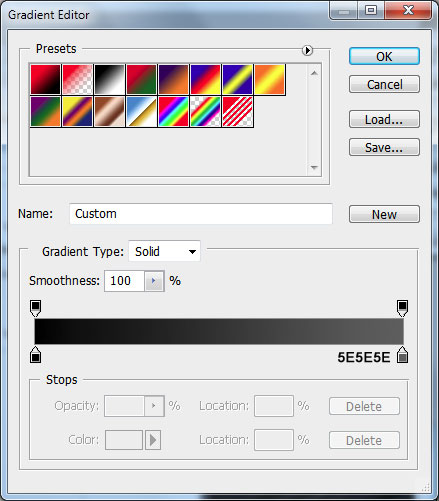
Gradient Editor

Now it’s time to insert the last element:

Create one more half of the lightning with Pen Tool (P):

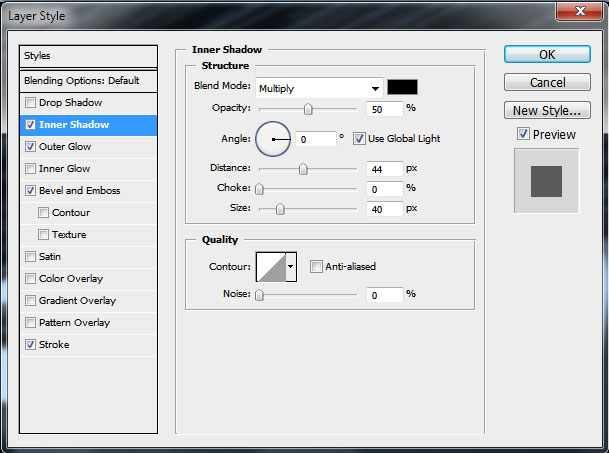
… setting the next Layer Style for it:
Blending Options – Inner Shadow

Blending Options – Outer Glow
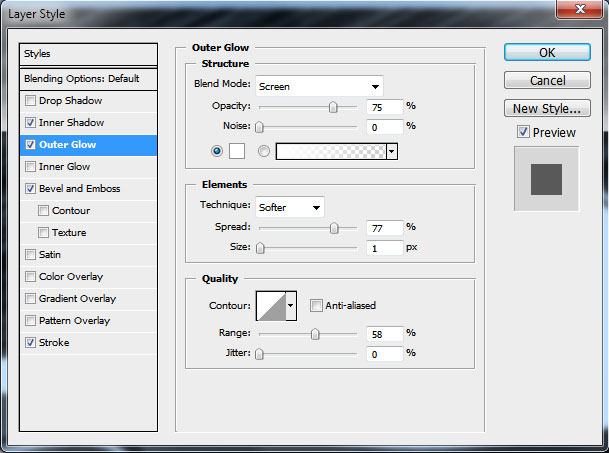
Blending Options – Inner Glow

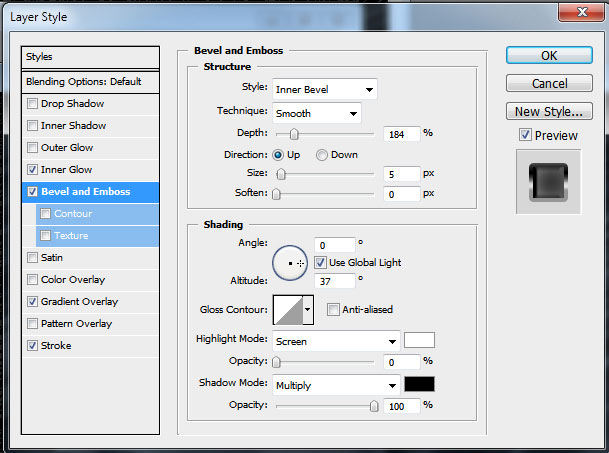
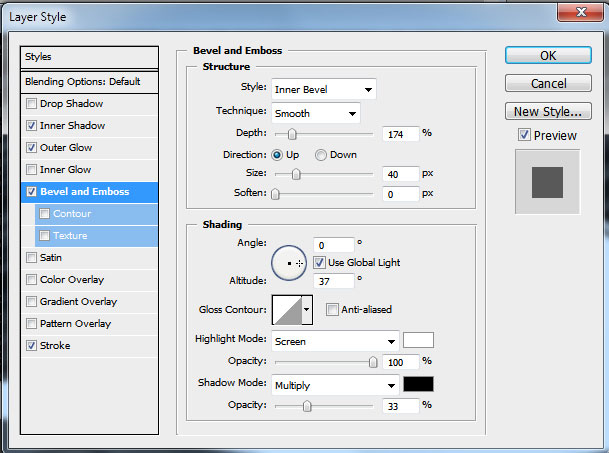
Blending Options – Bevel and Emboss
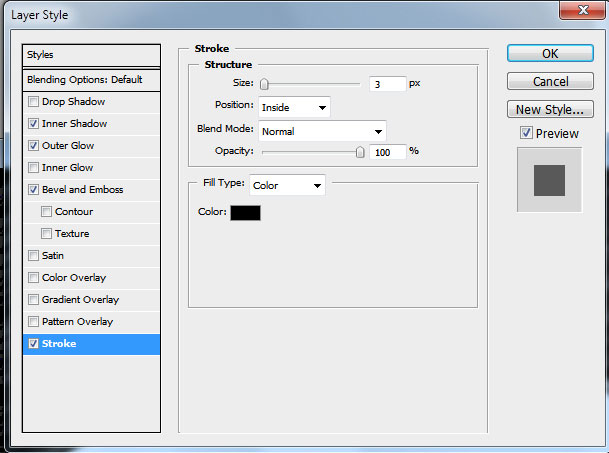
Blending Options – Stroke

The final result!
View full size here.
Post Pages: 1 2
Tags: cs4, Designing, emblem, flames, glossy, metallic, Photoshop


Al
23/09/2009
Hmm not that great tutorial, looks ugly. =/
person
23/09/2009
ya it isnot good , i cant make it looks that good , beside there are few steps which i didnot understand it , i think that great tutorials should be edited to suit all people not only proffesionals can understand what is here
Ashley Adams : Postcard Printing
24/09/2009
I think I’ve seen better emblem than this. The tutorial too is a bit complicated for beginners and casual designers. Better luck next time.
al is ga
24/09/2009
AL YOU ARE AN UGLY POS
kokyx
25/09/2009
u have a lot great mind blowing tutorials, but are not suitable for beginners, n a lot of steps are missing
Omar
28/09/2009
dont care about those ppl
they r stupids
it`s awesome
but it’s for pro’s
and u need to but every thing about this design u didnt show us all the steps
for me it’s easy to know the steps which u missed out but for beginners ,i think they will not be able to do this design
and thx alot for this design ,u r a pro
Jon
29/09/2009
The final result is not something I would personally create, yet the tutorial does teach you how to work around layer properties to retrieve a desired affect. Keep it up, and keep posting tutorials!
Yeboland
01/10/2009
nice tut man, can’t wait to try it.
Peace
PixieDust
14/10/2009
Well you know.. I like this tut. It gave me good ideas. That is what a tut is for.. it gives you the steps so you can create your own ideas.
passerby1
18/10/2009
the background looks not very good.it needs more bright ,yeah?
the emblem is nice~
u missed some steps,that someone couldn’t finish it.
next~
Odin
10/11/2009
What are ya’ll bitching about.
its easy as pie.
great tut!
Holland
14/05/2010
Great tutorial. You did miss a few steps. And it took me a while to figure it out (I’m new to Photoshop, I used to have Photofiltre), but in the end I did.
The logo looks superb.
Lazg0
05/08/2010
I call this a great tut, i dont know if it was meant to find out a little for youre self but my god now its stuck in there an will never leave my brain. Ty man for learning and that is why i entered this link and that is what a tut is about
MACOI
12/02/2011
cant understand it , its not for a beginner , ang pros dont need .