
Create Tech Background
June 11, 2006 | 0 comments
Author: Ryan Muder,
URL: http://www.gfxgamers.net
1. Create New Document signature size (420×120)
2. Select the Gradient Tool and use these settings

3. Make some criss cross gradient lines something like this
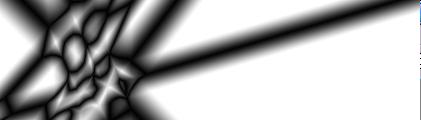
4. Apply Filter > Stylize > Find Edges

5. Duplicate layer
6. Filter > Stylize > Glowing Edges
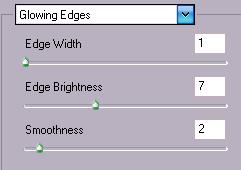
7. Hit Ctrl + E
8. Duplicate layer
9. Edit > Transform > Flip Horizontal and set Blending Mode to Lighten
10. Hit Ctrl + E
11.Ctrl + U to Colorize
Your done

Comments