
Tribal Background
June 27, 2006 | 0 comments
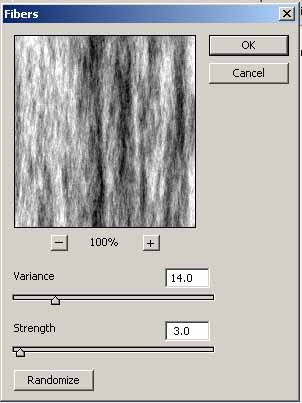
1. Create New Document 400x300px and press ‘D’ to set Foreground to Black and Background to White. Apply Filter>Render>Fibers
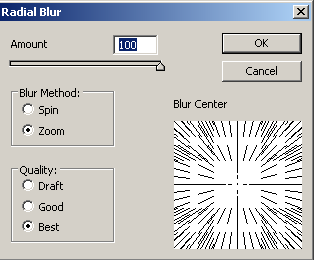
2. Go to Filter>Blur>Radial Blur
Results:


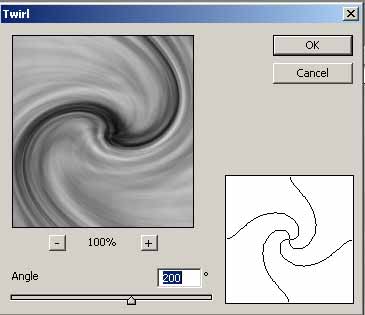
3. Press Ctrl+J for duplicate the layer and apply Filter>Distort>Twirl
4. Set the Blending Mode to Multiply and Merge Down the layers

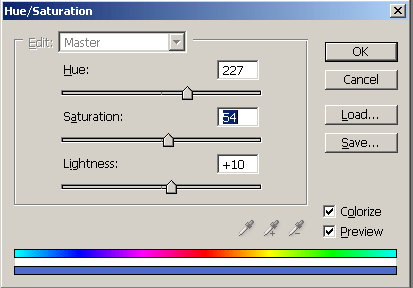
5. Now Apply the Hue/Saturation
Results:

6. Now you can duplicate the layer and apply Edit>Transform>Flip to Horizontal and set the Blending Mode to Multiply

You can apply others Transform that you like and use your imagination.
Good luck, and be sure to check out our other Photoshop Tutorials!
Comments